This article is about the 18W USB-C power adapter that comes with the iPad Pro (2018), which recently went on sale separately.
While its intended purpose is charging the iPad Pro (2018) at 18W, I decided to test two things: “Can it fast-charge an iPhone?” and “Can it charge a MacBook (12-inch)?”
It appeared suddenly on the Apple Store on December 5th, so I ordered it right away.
Here’s what the packaging looks like.
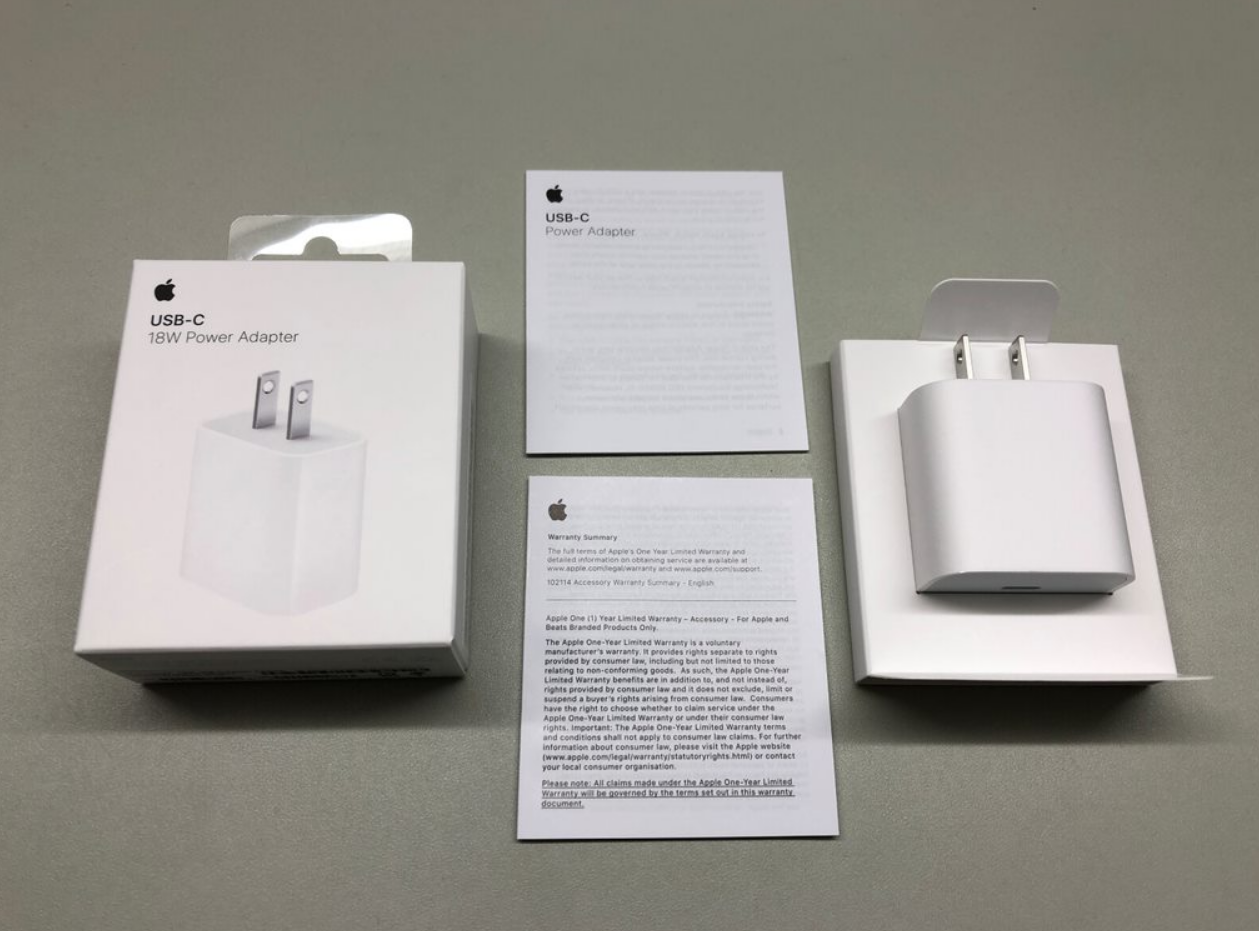
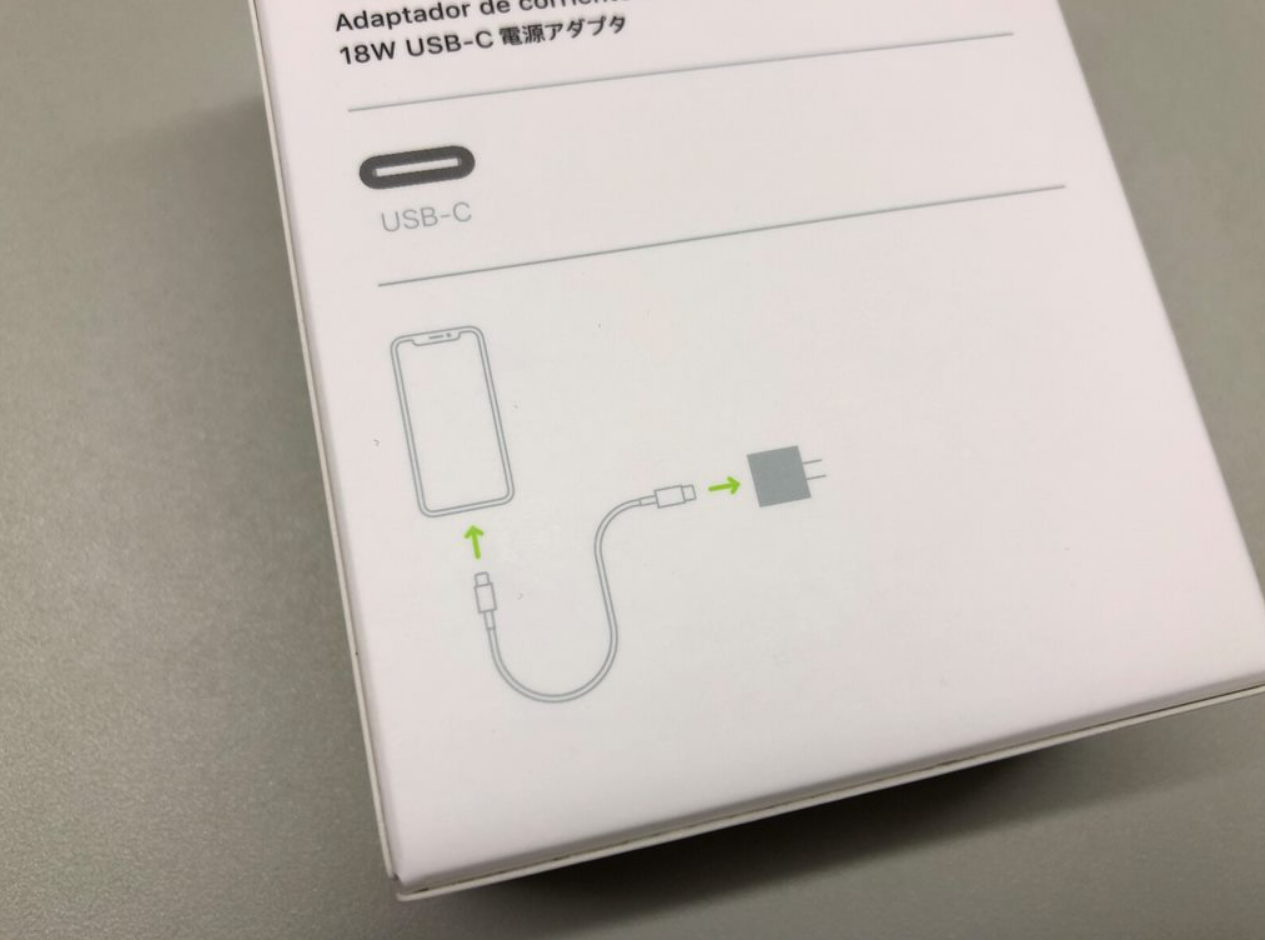
What’s interesting is that the illustration on the back shows an iPhone. Does Apple intend this as the go-to adapter for iPhone fast charging?
Apple still includes the terrible “Apple 5W USB Power Adapter” with iPhones. I really wish they’d start bundling the 10W adapter from iPads or the 18W from the iPad Pro…
(At least give the XS series a 10W or 12W adapter…)
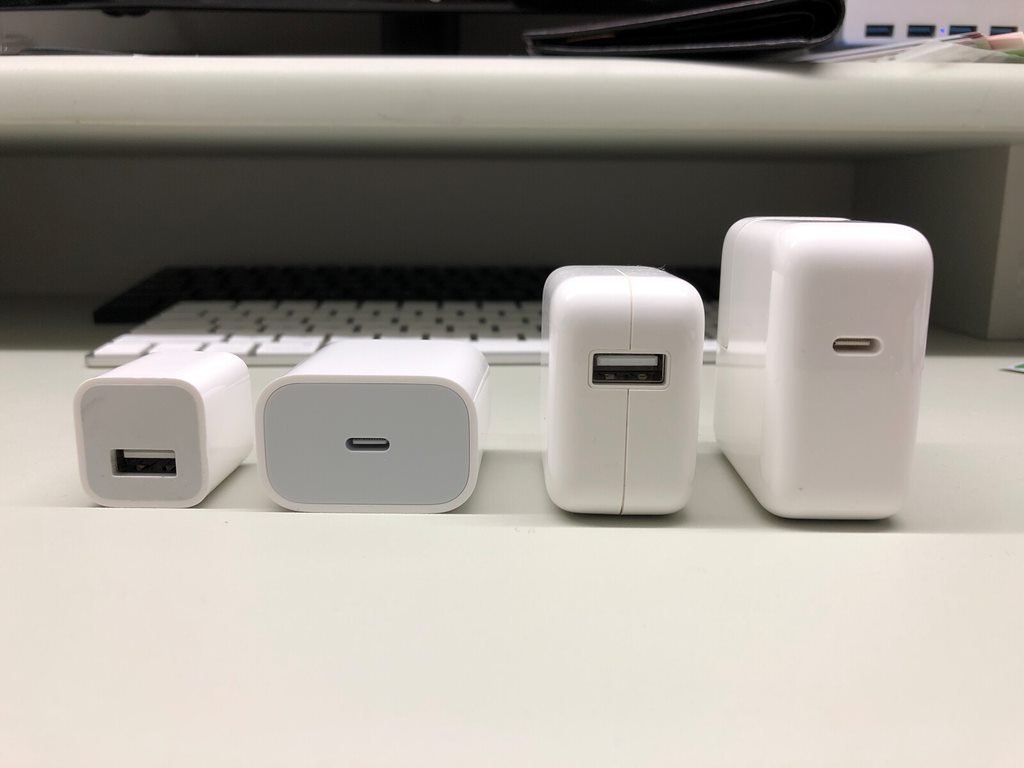
Here’s a size comparison of the 5W, 18W, 10W (12W), and 29W (30W) adapters.
Enough about the exterior?let’s get to the test results.
Test 1
Can iPhone Reach 50% in 30 Minutes with the 18W Adapter?
The test device is my iPhone X (battery maximum capacity at 87%).
I used the genuine Apple cable, of course.
The result: 44% in 30 minutes.
It did not meet Apple’s fast-charging claim of “50% in 30 minutes.”
While it charges faster than the 12W USB adapter, it feels a bit underwhelming…
Test 2
Can It Charge the MacBook (12-inch)?
The MacBook (12-inch) comes with a 29W (30W) USB-C power adapter.
It’s a bit heavy and bulky, which might make some people hesitate to carry it around.
Since I prefer to minimize what’s in my bag, I usually leave the 29W adapter at home and carry a 12W USB adapter with a Type-C cable (from my Mi 6) instead.
I mentioned “just enough” charging earlier?with the 12W adapter, light work results in very slow charging, but any heavier tasks cause the battery to actually drain while plugged in.
12W is right at the borderline, so I figured 18W should be enough.
So I plugged the 18W adapter into the MacBook (12-inch), and…
Huh?
Wait…?
What?!
Why is it only being recognized as 12W?!
It seems the MacBook doesn’t support the 9V 2A = 18W USB PD standard…
Whether the MacBook’s charging protocol simply doesn’t support it, or for some other reason?the bottom line is that buying the 18W adapter for MacBook charging is a waste since it can’t utilize the full 18W output.
Come to think of it, the MacBook isn’t even listed on the compatibility chart…
Summary (Edited December 18, 2018)
For iPhones, it charges faster than the standard adapter but falls short of Apple’s fast-charging spec. For the portable MacBook (12-inch), it can’t even be used. The 18W adapter sits in an awkward middle ground.
However, it works with the MacBook Pro (2018), and possibly the MacBook Air (2018) as well. In that case, it does have some value.
For MacBook (12-inch) users like myself, this adapter is not worth purchasing.
If you’re considering buying the 18W USB-C adapter, I hope this article helps you make an informed decision.
That’s all for this time.
Recommended Items
USB-C PD Fast Charger
Modern USB-C PD chargers offer better compatibility and faster charging.
![[Installation Guide] Running Windows 10 on ARM on a Lumia 950 XL](https://miyagadget.page/wp-content/uploads/2023/08/SC5OSG1l.jpg)
![[2018] Installing Windows 7 Starter on a VAIO type P to Make It Usable Again](https://miyagadget.page/wp-content/uploads/2023/08/g3cFO3Vl.jpg)

Leave a Reply