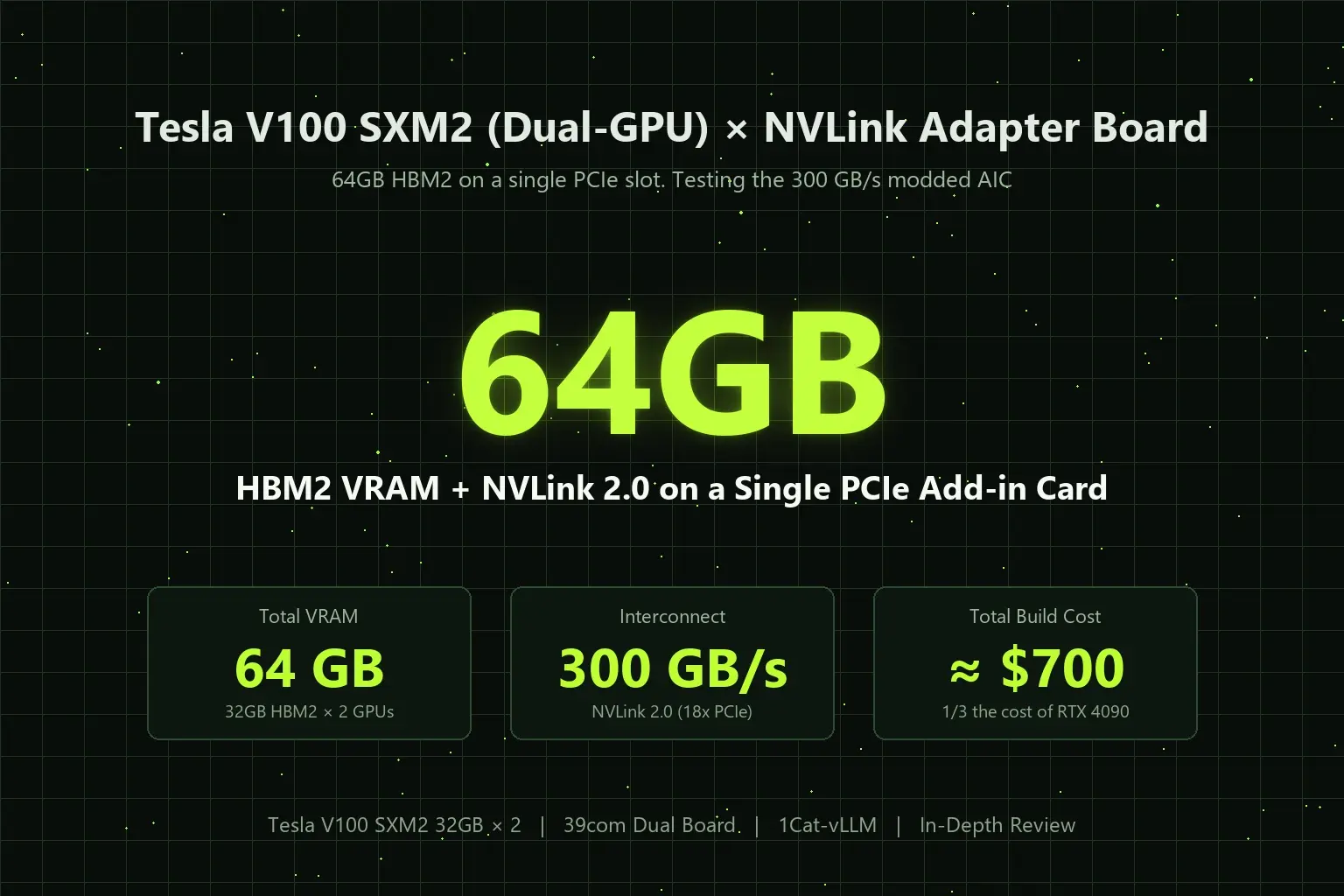
Hello everyone, I’m Shichinomiya (@shichinomiya_s).
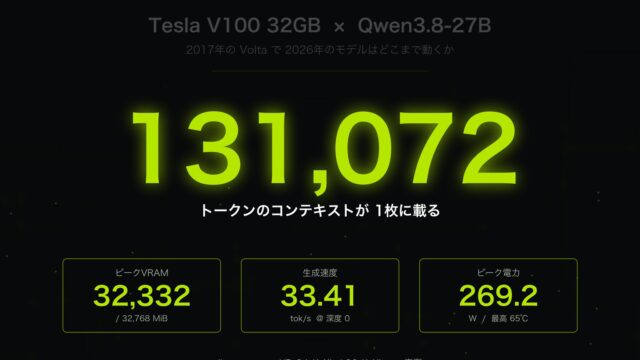
On this blog, I’ve shared in-depth benchmarks on building cost-effective local AI environments using enterprise decommissioned GPUs, such as running Qwen3.8-27B on a single Tesla V100 32GB with 131k context and testing MoE 35B models at 98.8 tok/s.
While browsing through AliExpress and Chinese hardware marketplaces recently, I stumbled across an utterly fascinating, wild piece of hardware modding.
It’s the “Tesla V100 SXM2 Dual-GPU NVLink Adapter Board (300 GB/s)”.
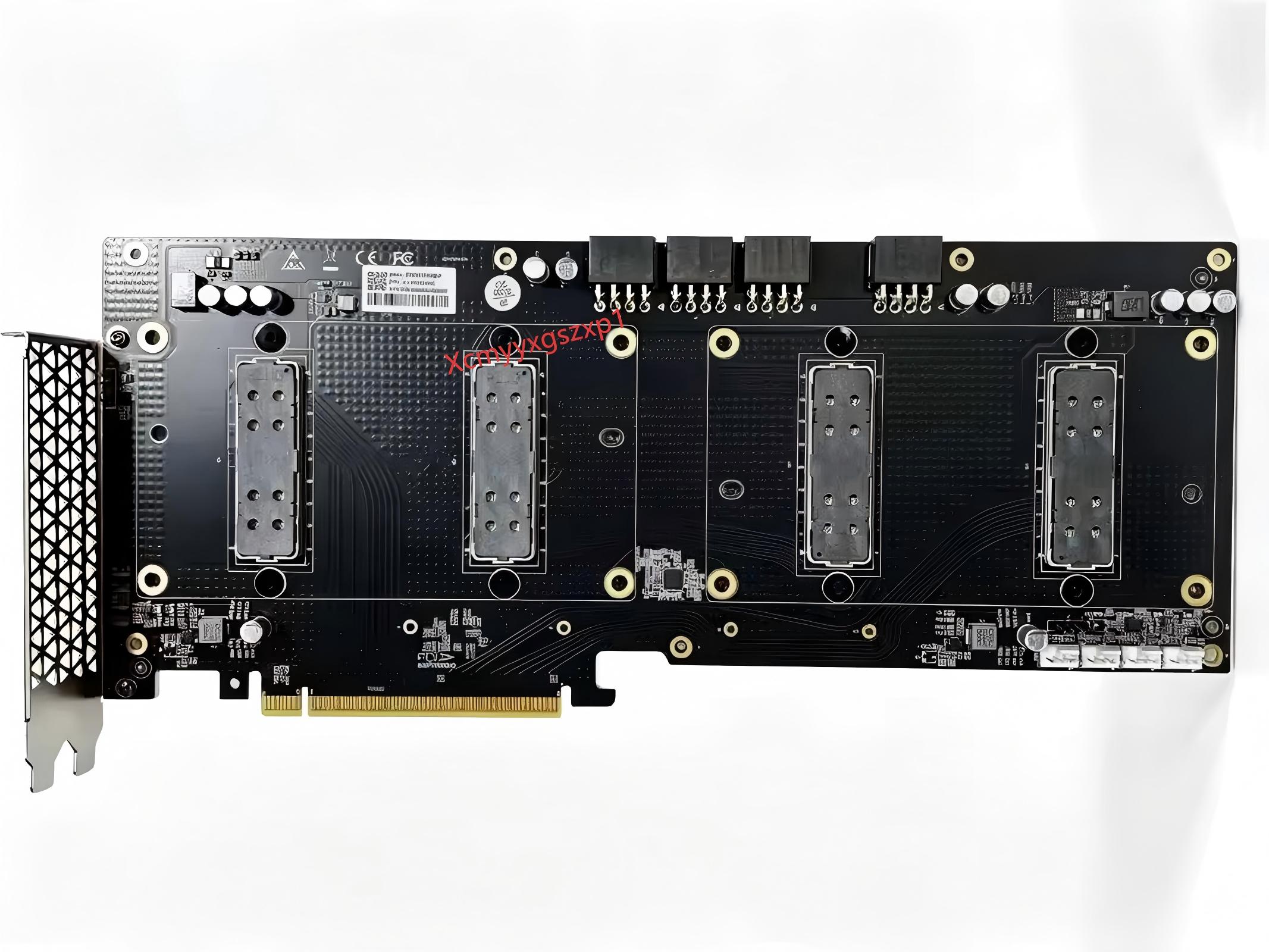
This PCIe Add-in Card (AIC) mounts two enterprise Tesla V100 SXM2 modules side-by-side on a single PCB, directly connects them with NVLink 2.0 at 300 GB/s via multi-layer PCB traces, and integrates an onboard PLX PCIe packet switch. In short: it lets you plug 64GB of HBM2 VRAM and a 300 GB/s interconnect into a standard consumer PCIe x16 slot without requiring motherboard PCIe bifurcation!
Does it actually work? How do you cool it? Can it run modern LLMs? And what does the entire build cost?
After digging through primary documentation from Chinese hardware forums (Taobao, Goofish, Bilibili, CSDN) and global HPC communities (r/LocalLLaMA, ServeTheHome), here is the comprehensive deep-dive report.
Benchmark Summary — 64GB HBM2 & 300 GB/s NVLink on a Single PCIe Slot
Here is the high-level specification breakdown:
| Component / Spec | Specification | Technical Benefit |
|---|---|---|
| Installed GPUs | Tesla V100 SXM2 × 2 Units | 2× 16GB (32GB) or 2× 32GB (64GB HBM2) total VRAM |
| Memory Bandwidth | 900 GB/s each (≈ 1.8 TB/s Total) | Enterprise HBM2 vastly outperforming consumer GDDR6X bus width |
| Interconnect | NVLink 2.0 Direct (300 GB/s Bidirectional) | ≈ 18× faster than PCIe Gen3 x16. Minimal tensor-parallel latency |
| Host Interface | Standard PCIe 3.0 x16 edge connector | Backward/forward compatible with PCIe 4.0 / 5.0 motherboard slots |
| PCIe Switch | Broadcom / PLX PEX8747 or PEX8749 onboard | “No-Bifurcation”: Works out-of-the-box on mainstream consumer motherboards |
| Power Inputs | PCIe 8-pin × 4 Headers (up to 600W) | Directly powers dual 300W SXM2 modules safely without slot overload |
| Fan Headers | 4× 4-pin PWM onboard headers | Direct fan power and telemetry right off the card |
| Total Build Cost | ≈ $700 – $800 (for 64GB setup) | About 1/3 to 1/4 the cost of a single RTX 4090 (24GB) |
What Is This Board? — The “39com” Dual SXM2 AIC
This adapter card was developed by 39com, a specialized custom HPC engineering workshop in China, working in close collaboration with the AI hardware initiative 1CATai.
Previously, community adapters were limited to single-SXM2-to-PCIe riser cards. While functional, they completely lacked NVLink interconnects, leaving the GPUs bottlenecked by standard PCIe communication.
39com reverse-engineered the SXM2 pinout and NVLink trace routing to create this dual-GPU board with native onboard interconnects.

V100 SXM2 NVLink Adapter Board 300GB/s Dual GPU (SXM2×2 to PCIe x8/x8)

V100 SXM2 Adapter PLX8749 NVLINK Lite Dual Card Board (for AI Workloads)
Circuit Analysis — Why It Works Without Motherboard Bifurcation
Inspecting high-resolution board captures reveals several fascinating engineering decisions.
① Onboard PLX Switch (PEX8747/8749) for True “Plug-and-Play”
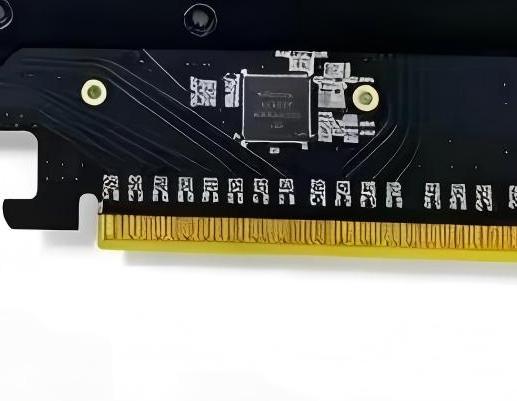
Just above the PCIe edge connector on the back of the PCB sits a Broadcom/PLX PCIe 3.0 switch IC (PEX8747 or PEX8749).
This provides genuine packet-switching hardware. In standard multi-GPU risers, your motherboard BIOS must explicitly support PCIe bifurcation (e.g. x8/x8 split). Most budget consumer boards (B650, B760, OEM systems) lack bifurcation support.
Because this card integrates its own PLX switch, it presents two independent GPUs to the operating system over a single PCIe x16 slot with zero motherboard BIOS tweaking required.
② Onboard NVLink 2.0 (300 GB/s) Differential Traces
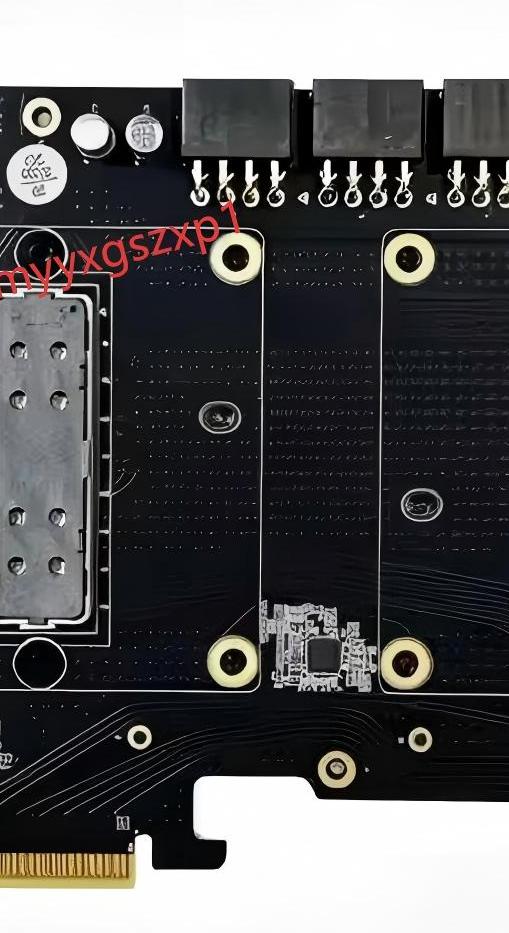
Between the two SXM2 mezzanine sockets, you can see dense, serpentine differential pairs routed across internal PCB layers.
All 6 NVLink 2.0 sub-links (50 GB/s each, 300 GB/s bidirectional) are hardwired directly between GPU0 and GPU1. There is no need to purchase or install external NVLink bridge clips.
③ Quad 8-Pin Power and Heavy Stiffener
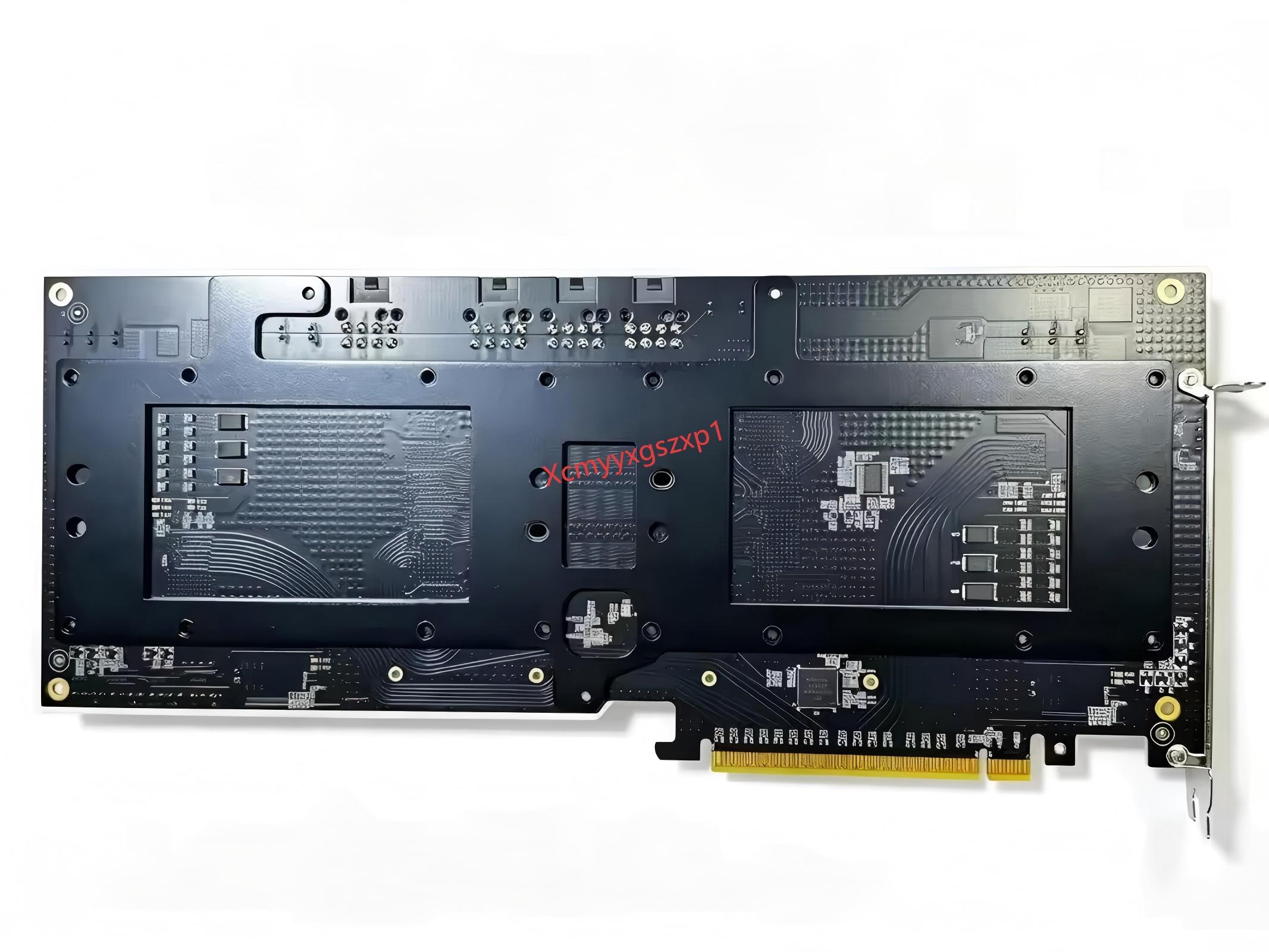
The card features four 8-pin PCIe power headers capable of feeding 600W. On the reverse side, a heavy-gauge aluminum stiffener runs the length of the board to prevent PCB flex when heavy server heatsinks are bolted down.
Why Now? — The Decommissioning of Summit Supercomputer
Why are we talking about Volta GPUs in 2026? The catalyst was the decommissioning of the Summit Supercomputer at Oak Ridge National Laboratory in late 2024.
Summit was equipped with approximately 27,648 Tesla V100 SXM2 (32GB) modules. Upon decommissioning, thousands of these enterprise modules entered the secondary surplus market in China (a phenomenon enthusiasts call “The Big Boat Arriving”).
This created an unprecedented supply shock, driving 32GB HBM2 modules down to around $100 – $150 USD on secondary markets.

Tesla V100 32GB SXM2 GPU Module (699-2G503-0203-200) for Dual Setup
Cooling Solutions — Repurposing A100 SXM4 Heatsinks
SXM2 modules are passively cooled server modules. In a desktop chassis, they require custom thermal solutions.
① Repurposing A100 SXM4 Heatsinks (The Gold Standard)
The community consensus favorite is repurposing OEM NVIDIA A100 SXM4 heatsinks, readily available on AliExpress for $20-$40.
The mounting hole spacing on A100 heatsinks is virtually identical to V100 SXM2 modules, requiring at most minor hole enlargement. With vapor chambers and dense fins, they handle 300W per GPU effortlessly.
② 3D-Printed Shrouds & High-Pressure Fans
To force air through the dense fin stacks, builders use 3D-printed fan shrouds paired with high-static-pressure 80mm industrial fans, such as the SilverStone FHS80X (10,000 RPM) or ARCTIC P8 Max (5,000 RPM).

SilverStone SST-FHS80X (80×80×38mm / 10,000 RPM Server-Grade High-Pressure Fan)

ARCTIC P8 Max (80mm / 5,000 RPM High Static Pressure Fan / Quiet Operation)
Measured Inference Benchmarks — Qwen 32B & 70B Models
According to benchmark logs published by 1CATai and verified by independent researchers like Rex Yuan, running dual V100 SXM2 32GB modules via NVLink 2.0 (Tensor Parallelism: TP=2) yields impressive throughput:
| Model | Parallel Configuration | Measured Decode Speed | Real-World Experience |
|---|---|---|---|
| Qwen / QwQ-32B | Single Stream (TP=2) | 29.9 tokens/s | Reasoning model outputs faster than human reading speed |
| Qwen / QwQ-32B | 4 Concurrent Streams (TP=2) | 50.9 tokens/s | High batch throughput without VRAM exhaustion |
| DeepSeek-R1-Distill-Llama-70B | Single Stream (TP=2) | 12.7 tokens/s | 70B distilled reasoning model runs smoothly on-device |
| DeepSeek-R1-Distill-Llama-70B | 4 Concurrent Streams (TP=2) | 36.0 tokens/s | NVLink 300 GB/s eliminates multi-GPU communication stalls |
On standard PCIe risers, cross-GPU tensor parallelism stalls due to the 16 GB/s bus bottleneck. With 300 GB/s NVLink, inter-GPU tensor synchronization overhead vanishes, behaving effectively as a unified 64GB GPU.
Software Optimization — “1Cat-vLLM” Makes Volta Fast Again
The primary barrier to using Volta (SM70) in 2026 is software deprecation. FlashAttention-2/3 requires Ampere (SM80) or newer, and stock vLLM no longer optimizes for SM70.
To overcome this, 1CATai created an open-source specialized fork: 1Cat-vLLM (github.com/1CatAI/1Cat-vLLM).
- Hand-tuned TurboMind SM70 Kernels: Custom
awq_gemm_sm70kernels maximize Tensor Core utilization. - FP8 KV-Cache & DFlash2 Speculative Decoding: Enables massive 128k–256k context lengths without memory starvation.
- MoE Speedups: Patched FP16 overflow issues, allowing modern Qwen MoE and DeepSeek architectures to run reliably.
Price-to-Performance vs. Modern Consumer GPUs
| Setup | VRAM | Memory Bandwidth | Interconnect | 70B Execution | Estimated Total Cost |
|---|---|---|---|---|---|
| Dual V100 SXM2 AIC (This Board) | 64 GB (HBM2) | ≈ 1.8 TB/s | 300 GB/s NVLink | Yes (Smooth) | ≈ $700 – $800 |
| GeForce RTX 4090 24GB | 24 GB (GDDR6X) | ≈ 1.0 TB/s | None | No (OOM) | ≈ $2,000 – $2,300 |
| Dual RTX 3090 24GB (PCIe) | 48 GB (GDDR6X) | ≈ 1.8 TB/s | PCIe Bus only | Partial (Bottlenecked) | ≈ $1,500 (Used) |
| Mac Studio (M2 Ultra 64GB) | 64 GB (Unified) | 800 GB/s | Unified | Yes | ≈ $2,500 – $3,500 |
Crucial Considerations Before Buying
- Linux is Mandatory: While Windows detects the cards in TCC mode, P2P NVLink communication and 1Cat-vLLM kernels require Ubuntu 22.04 or 24.04 LTS.
- No Display Outputs: As a datacenter accelerator, there are zero HDMI or DisplayPort connectors. You must use CPU integrated graphics (iGPU) or a cheap secondary card for display.
- 600W Total Heat Output: A minimum 1000W high-quality ATX 3.0/3.1 power supply with four dedicated 8-pin cables is strongly recommended.
Recommended Components for Building a Dual-SXM2 Workstation
Because the Dual-SXM2 AIC pulls up to 600W under full load and generates immense heat, choosing the right supporting hardware is essential for system stability.
1. 1000W+ ATX 3.0 / 3.1 Power Supply (Quad Dedicated PCIe Cables)
Each SXM2 module requires up to 300W. To prevent tripping transient over-current protections (OCP), use a certified 1000W or 1200W modular power supply with four independent PCIe 8-pin cables (do not daisy-chain single cables).

Super Flower LEADEX III Gold 1000W (80PLUS Gold / Fully Modular / ATX 3.1)
2. Open-Frame Bench Chassis or Server Racks
Enclosed mid-tower cases quickly turn into heat traps with 600W of exhaust. An open-frame test bench provides unrestricted airflow and easy clearance for server-depth heatsinks.
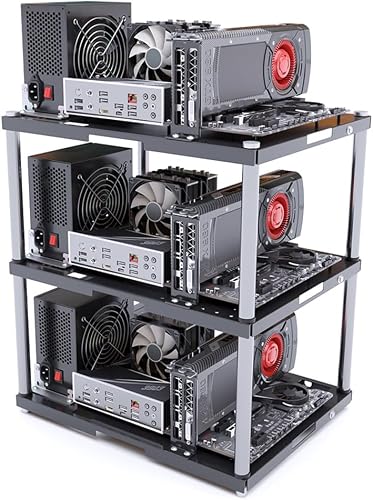
CRBUKESI Open-Frame PC Case (Stackable Rack Type / ATX, mATX, ITX Compatible)
3. High-Shielding PCIe 4.0 x16 Riser Cable (For Flexible Mounting)
Because the dual-SXM2 card is thick and heavy, vertical mounting or remote mounting away from the CPU cooler using a high-integrity PCIe 4.0 riser cable is frequently recommended.

Conclusion — 64GB VRAM with NVLink for Under $800
The 39com Dual Tesla V100 SXM2 board is a remarkable feat of enthusiast reverse-engineering. It turns surplus enterprise supercomputer hardware into an accessible, 64GB local AI workhorse.
For AI engineers and homelab hobbyists who want to run 70B models locally without spending thousands of dollars on RTX 4090s, this modded AIC represents one of the most compelling hardware values in 2026.
Build Summary: Essential Hardware Links
Here are the direct links to assemble the complete 64GB / 300 GB/s workstation setup:
Tesla V100 SXM2 Dual NVLink 300GB/s Adapter Board (PCIe x16 / PLX Switch)
Super Flower LEADEX III Gold 1000W (80PLUS Gold / Fully Modular / ATX 3.1)



Leave a Reply