It has been about two months since I acquired my own domain and started this blog.
While there have been issues with update frequency and article quality, there was also a critical problem: the page load times were painfully slow and unstable.
Personally, when trying to update the blog, the WordPress dashboard page would often fail to load, and I frequently couldn’t save my drafts. It was incredibly frustrating.
Since nobody was really reading this blog, I had been letting it slide. But it eventually got so bad that I decided to switch servers.
The server I had been using was XREA.com, server number S1005.
503 errors were frequent, and even when pages did load, they took an unreasonable amount of time.
I briefly considered the possibility of unauthorized access, but there was nothing like that going on?the server was simply overloaded.
I thought upgrading to the paid plan (XERA Plus) might help, so I signed up for a trial, but the results were unchanged.
So I decided to migrate to a different server.
The new server I moved to is Onamae.com. It’s the same site where I originally registered my domain.
I considered Lolipop as well, but since having everything in one place makes management easier, I went with Onamae.com.
For the migration, I used the WordPress plugin “All-in-One WP Migration.”
The import/export process was incredibly simple, and the migration went smoothly.
Additionally, when migrating servers, my directory structure changed slightly, but the plugin automatically set up redirects from the old directories to the new ones, which was very convenient.
Since I primarily use OneDrive’s embed feature for images to minimize server load, the entire site backup was only about 50MB.
If your backup exceeds 500MB, you’ll need to purchase the paid version (Unlimited Extension). In that case, I’d recommend using FTP to separately back up your photos, temporarily delete them, get under 500MB, and then create your backup with All-in-One WP Migration.
If that sounds like too much hassle or your site still exceeds 500MB even after removing photos, it’s probably worth just paying for the upgrade. It costs around 6,000 yen.
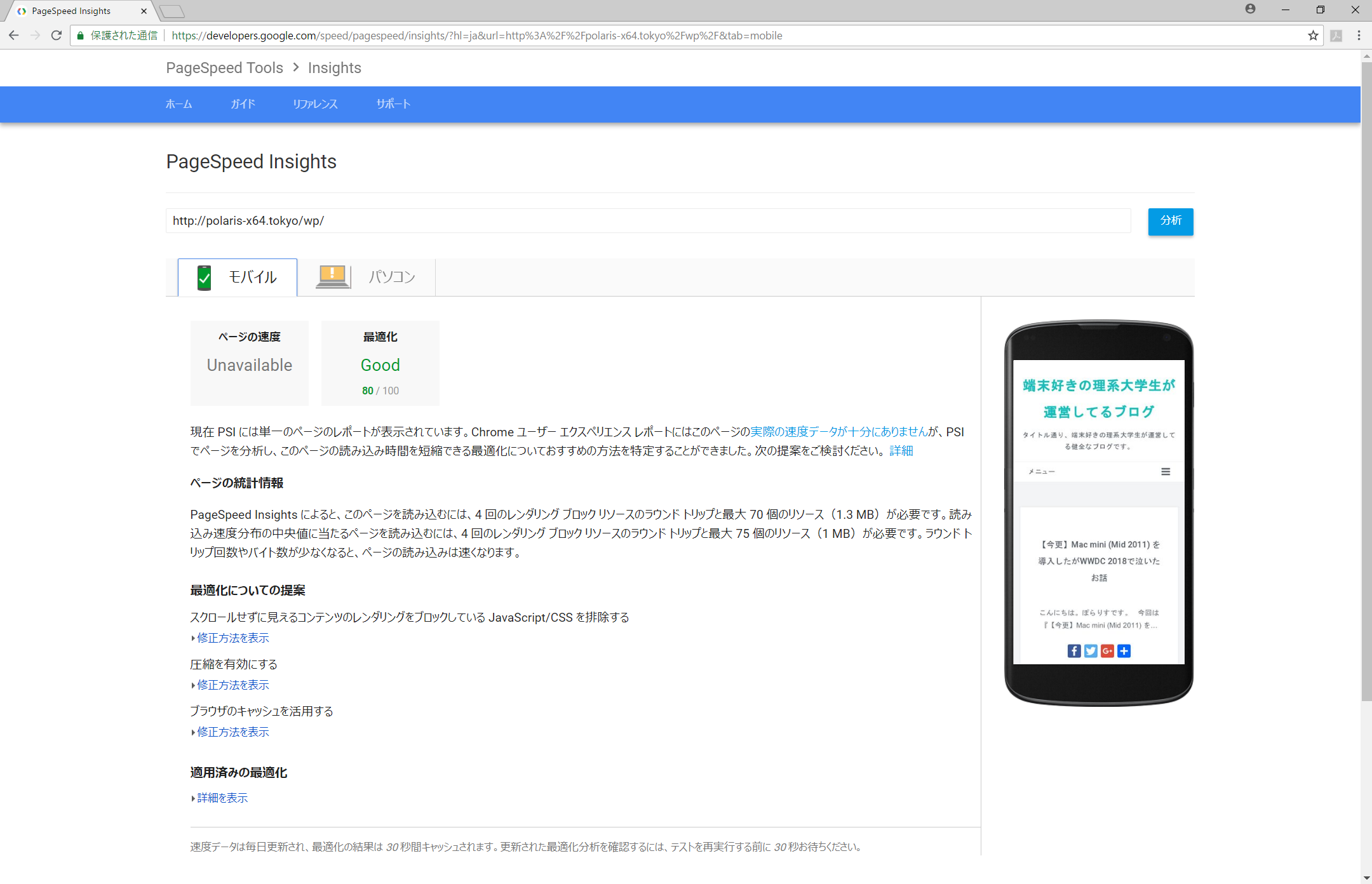
The server migration turned out to be the right call. The site became noticeably smoother overall. Previously, Google’s PageSpeed Insights couldn’t even measure the load speed, but after the migration, both mobile and PC scores reached Medium or above.


Honestly, for a blog with virtually no traffic, this level of performance is more than sufficient.
And that’s the story of my server migration.

![[Free] How to Clear the EPSON EP-804A Waste Ink Pad Error with the Open-Source EWR Tool](https://miyagadget.page/wp-content/uploads/2026/09/hero-ep804a-waste-ink-error-640x360.jpg)
![[Solved] Deleting the ‘nul’ File from Claude Code on Windows](https://miyagadget.page/wp-content/uploads/2026/01/無題.jpg)

Leave a Reply