In this article, I’ll show you how to replace the battery in a Braun electric shaver, with step-by-step photos.
There aren’t many replacement guides out there for this model, so I hope this helps.
Model
Braun Series 5 (roughly a 2020 model)
Even the latest 2026 models appear to have the same form factor and indicator placement, so this procedure should work for those as well.
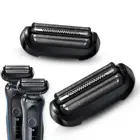
![Braun Electric Shaver Series 5 Men's [Amazon.co.jp Exclusive] 51-M1200s-V Mint, Precision Trimmer, Waterproof, Rechargeable, Cordless, Deep Catch Foil](https://images-na.ssl-images-amazon.com/images/P/B0C6LD957K.09.MZZZZZZZ.jpg)
Braun Electric Shaver Series 5 Men’s [Amazon.co.jp Exclusive] 51-M1200s-V Mint, Precision Trimmer, Waterproof, Rechargeable, Cordless, Deep Catch Foil
Price: 8,980 yen (as of 2026/01/27)
What You’ll Need
– T6 and T8 Torx screwdrivers
You need these to disassemble the body. If you don’t already own a set, a precision driver kit like the one below is a great investment that’ll last a lifetime.
![Elecom Precision Driver Set, 24 Types [Phillips, Flathead, Torx, Hex, Y-Type, Star, Triangle, U-Type] TL-PD01BK-AZ](https://images-na.ssl-images-amazon.com/images/P/B0D3FYK46Q.09.MZZZZZZZ.jpg)
Elecom Precision Driver Set, 24 Types [Phillips, Flathead, Torx, Hex, Y-Type, Star, Triangle, U-Type] TL-PD01BK-AZ
Price: 1,159 yen (as of 2026/01/27)
– 14500 Lithium-ion battery
Important: This is NOT a standard AA battery. Regular AA rechargeable batteries won’t work either. You need a “14500” size battery.

EEMB ER14505 AA 3.6V Lithium Battery Li-SOCL2 Non-Rechargeable SB-AA11 LS14500 TL-5903 SL-360 S7-400 for Water Meters, Gas, PLC, Equipment (1 Pack)
Price: 699 yen (as of 2026/01/27)
Let’s Tear It Down
Start by removing the shaver head.
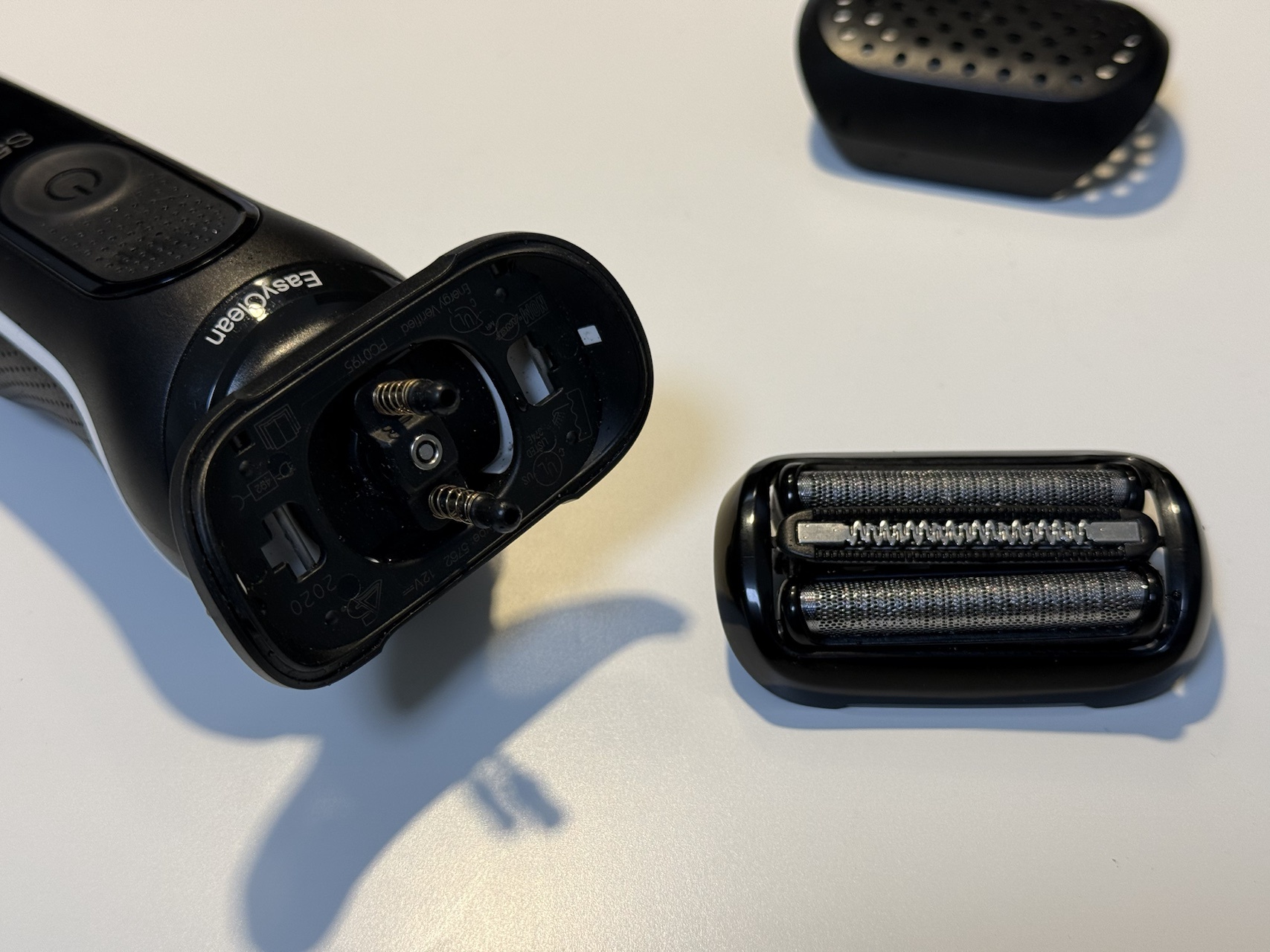
Next, push the rubber covers (circled in red in the image) from the back using any thin tool.
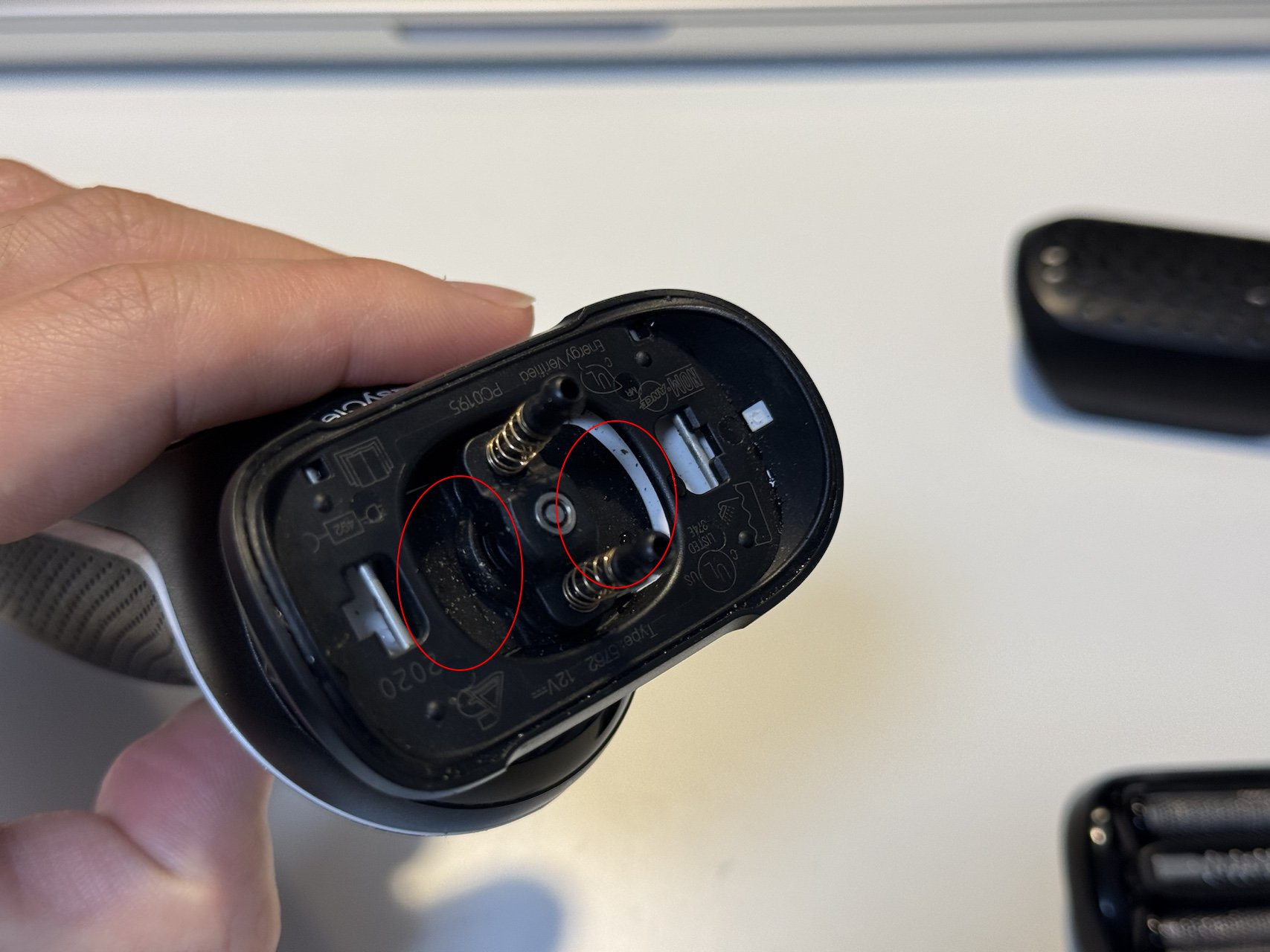
Something like a small screwdriver works fine.
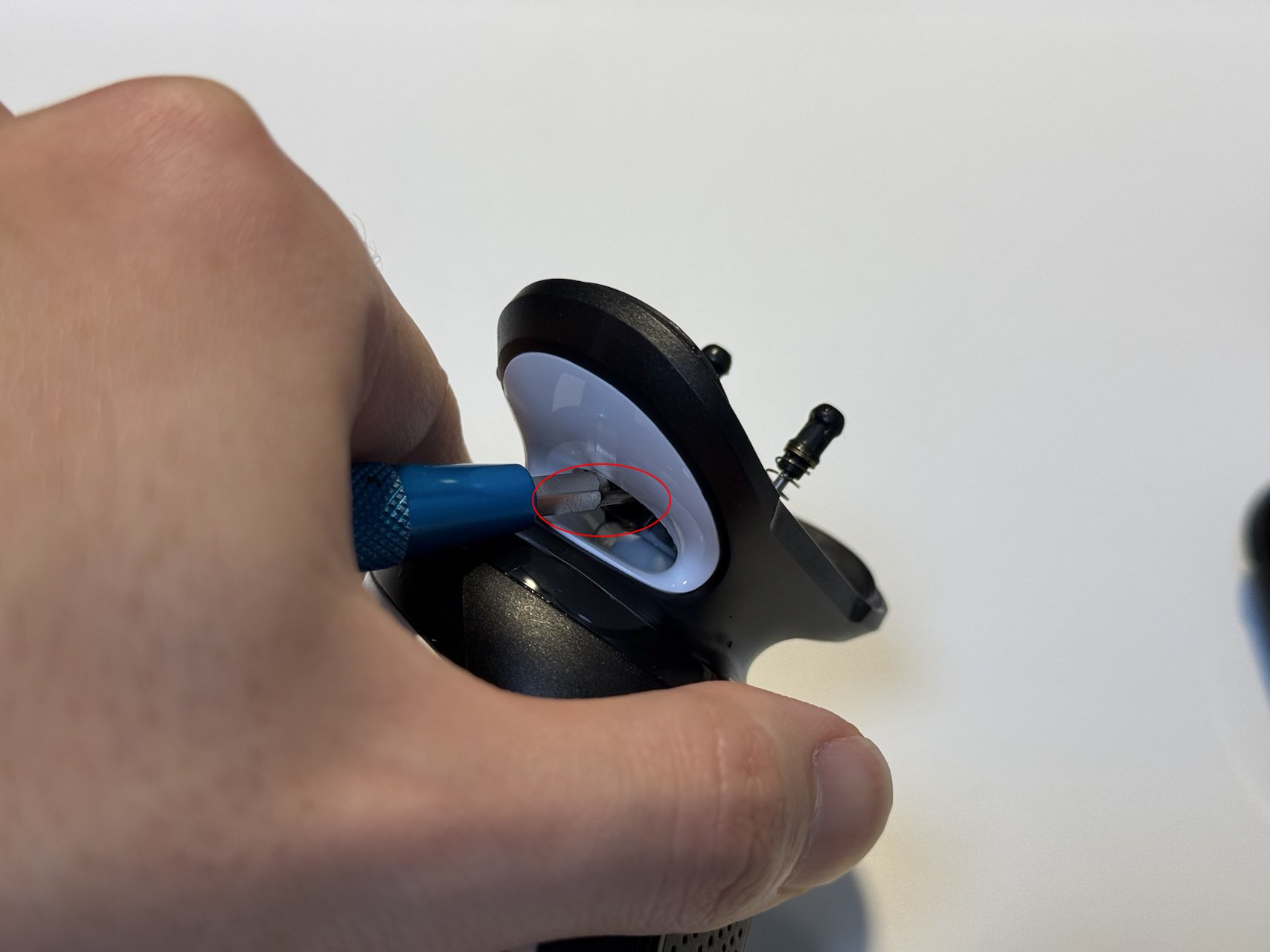
This will expose the screws underneath. Peel off the rubber cover and remove the screws with a T8 driver.
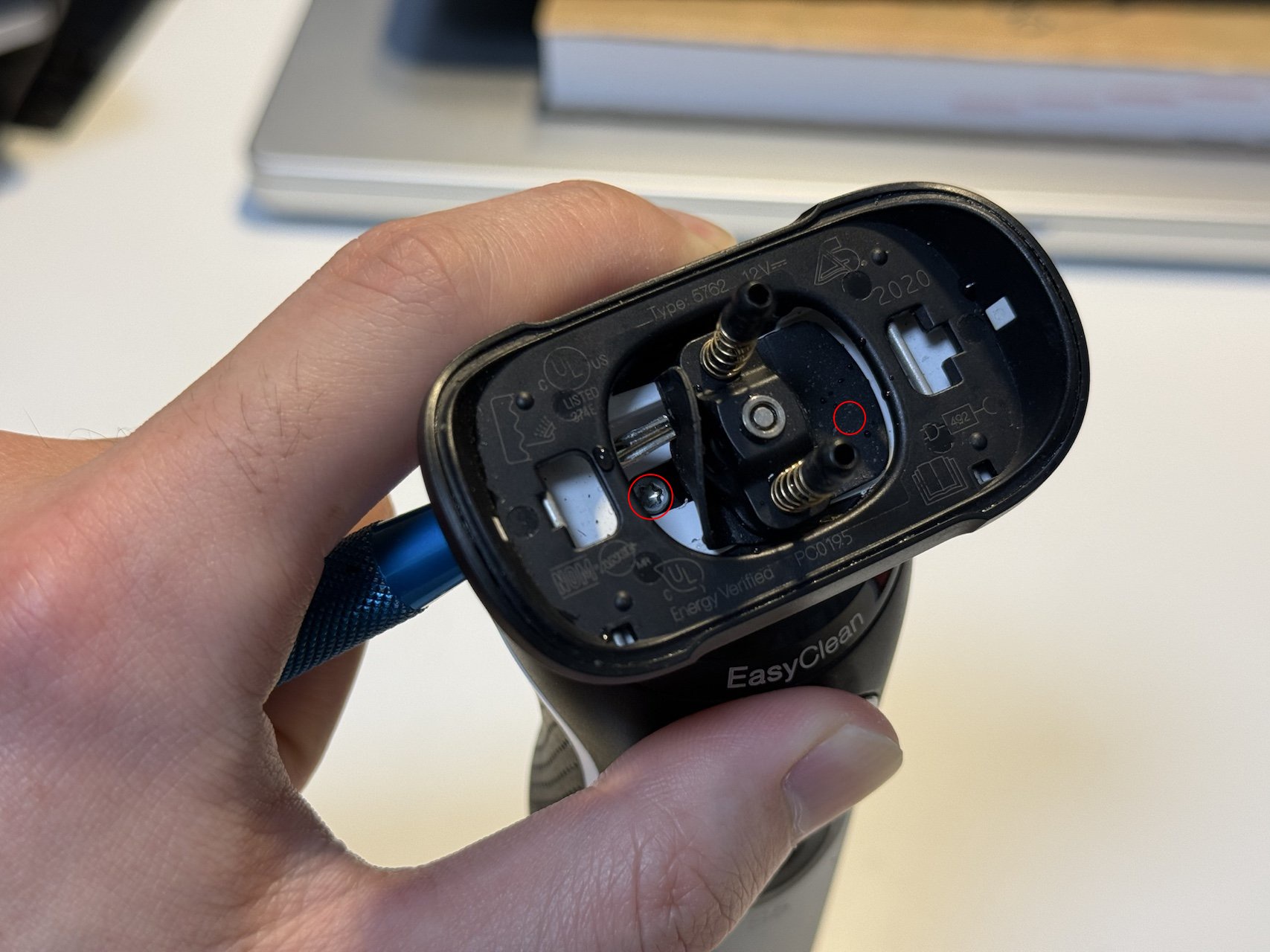
The image only shows the left side, but repeat the same process on the right. That’s 2 screws removed in total.
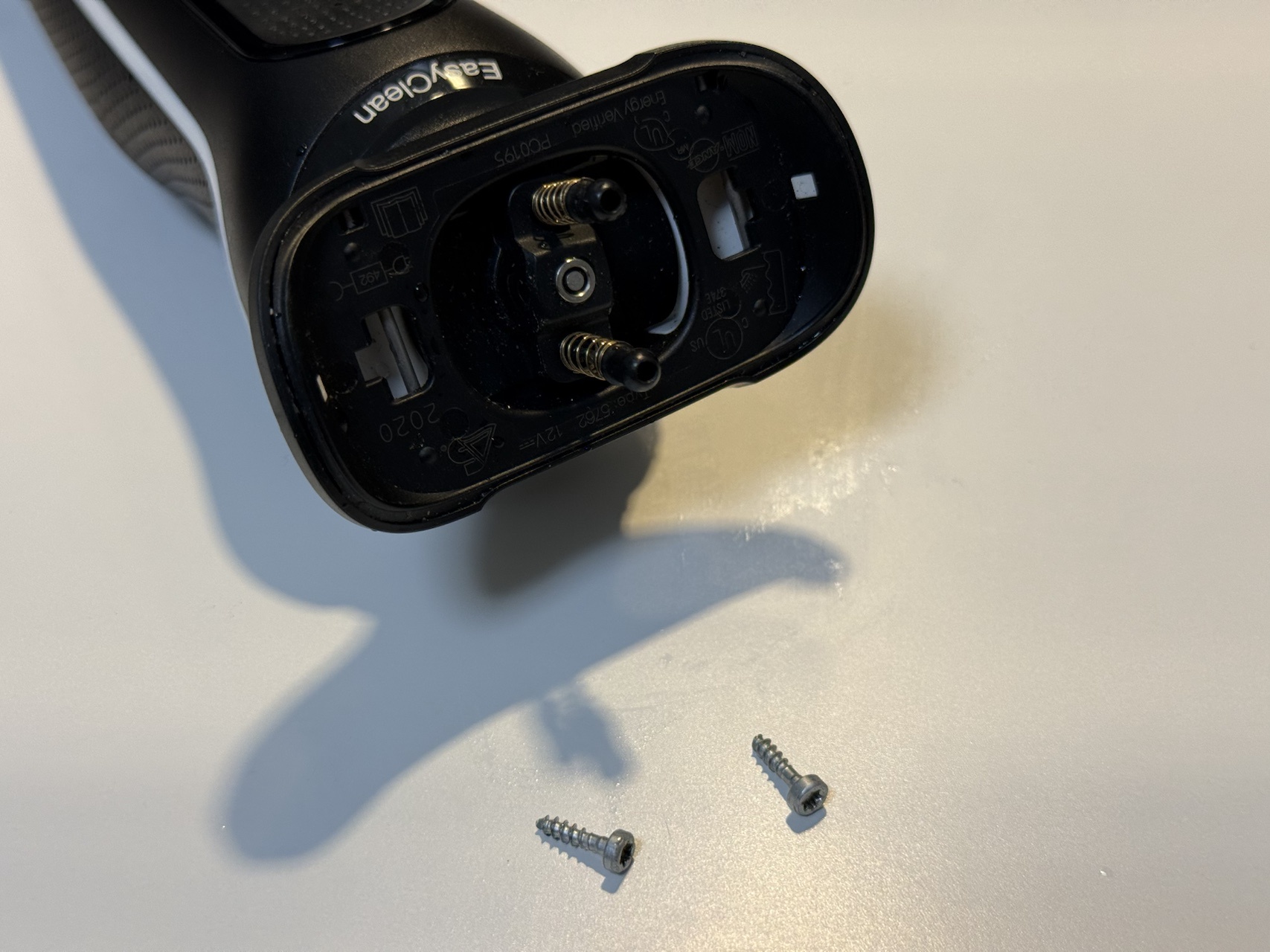
Next, there’s a screw at the bottom where the charger plugs in. Remove this one with a T8 driver as well.
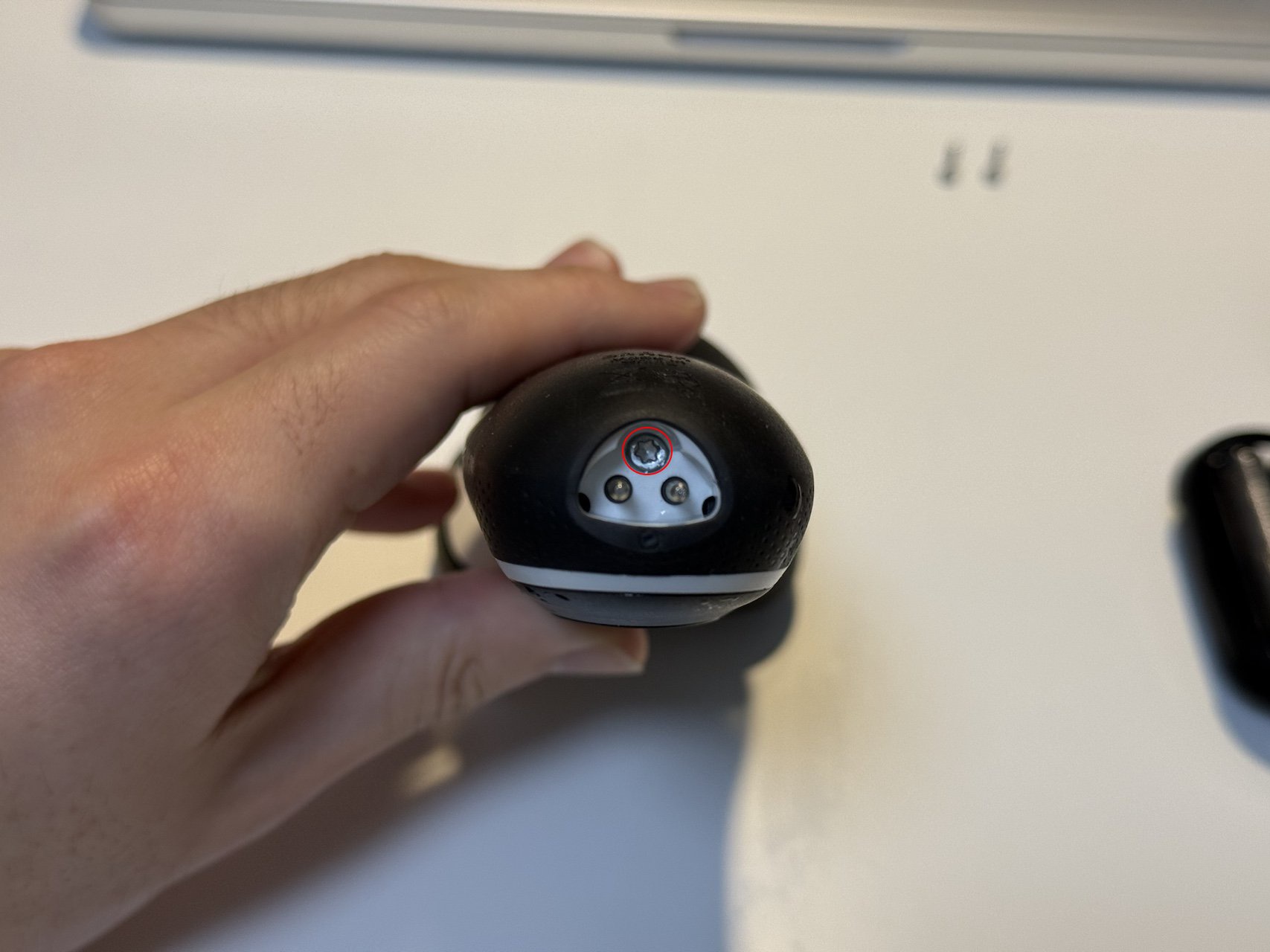
With all the screws removed, hold the unit as shown and slide the back cover downward with your thumb.
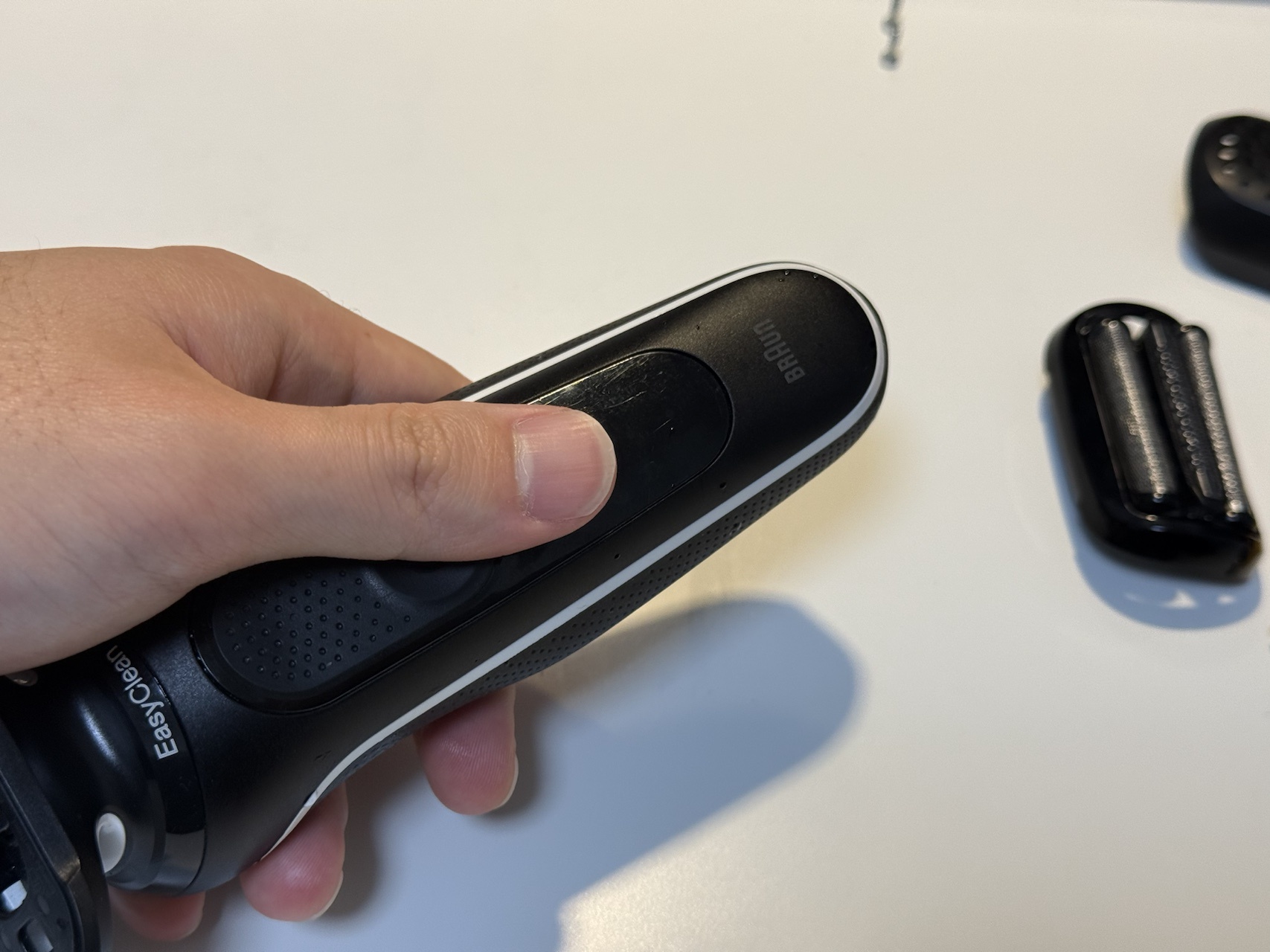
The back cover should come off like this.
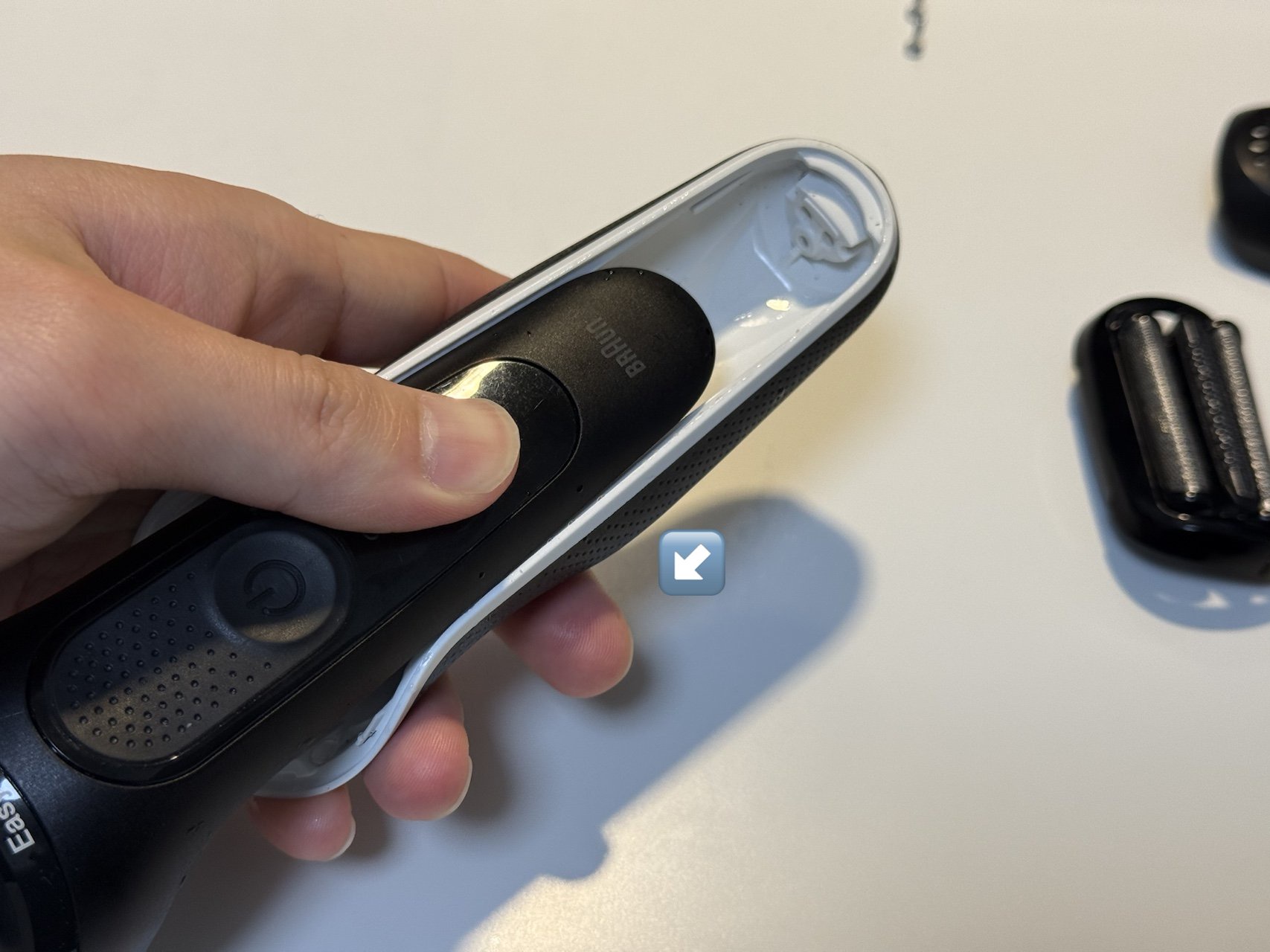
Now the battery is in sight, but it’s still encased in a waterproof housing. Let’s remove that next.
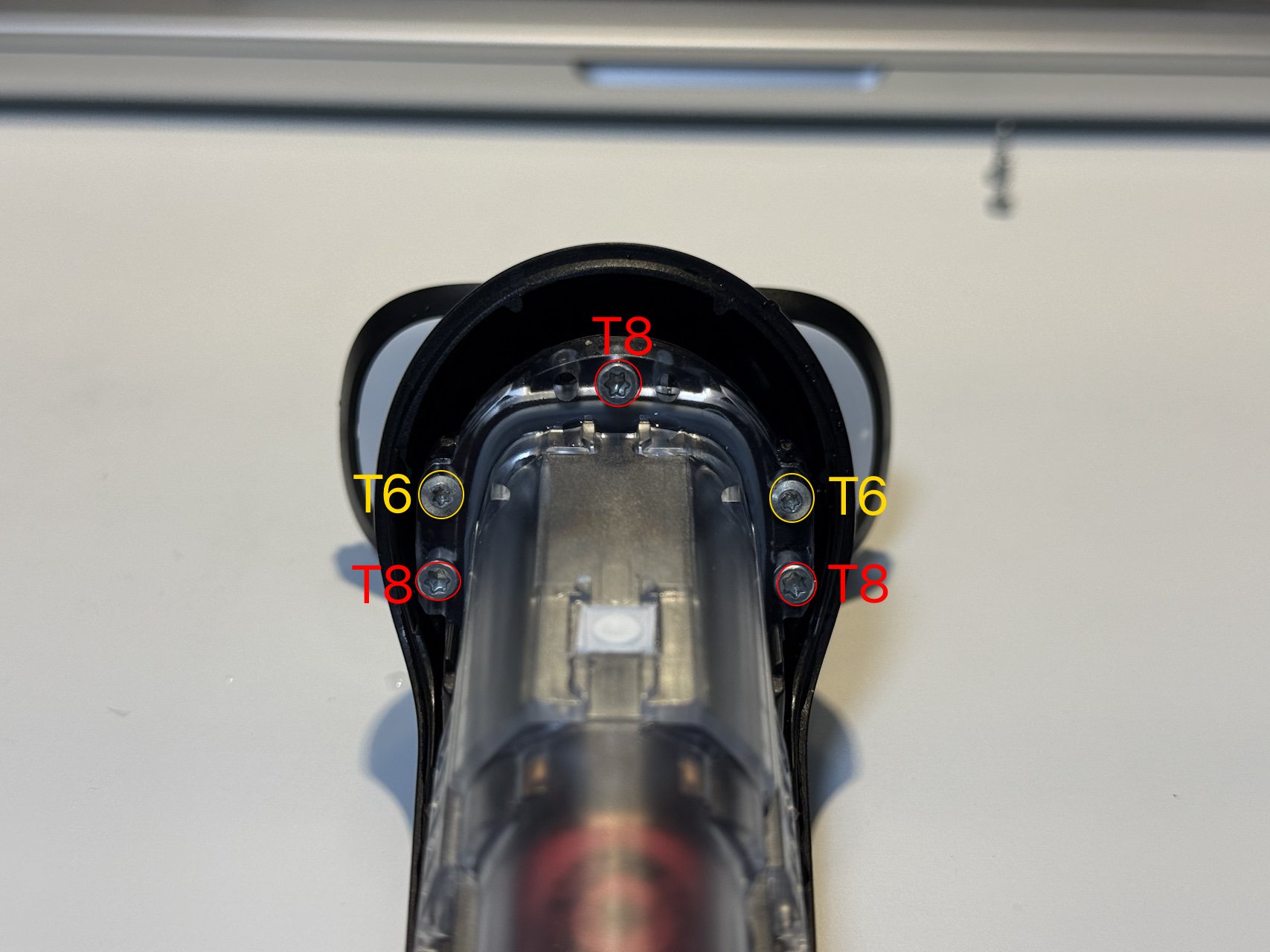
Remove the screws at the top. The ones highlighted in yellow require a T6 driver; the rest are T8.
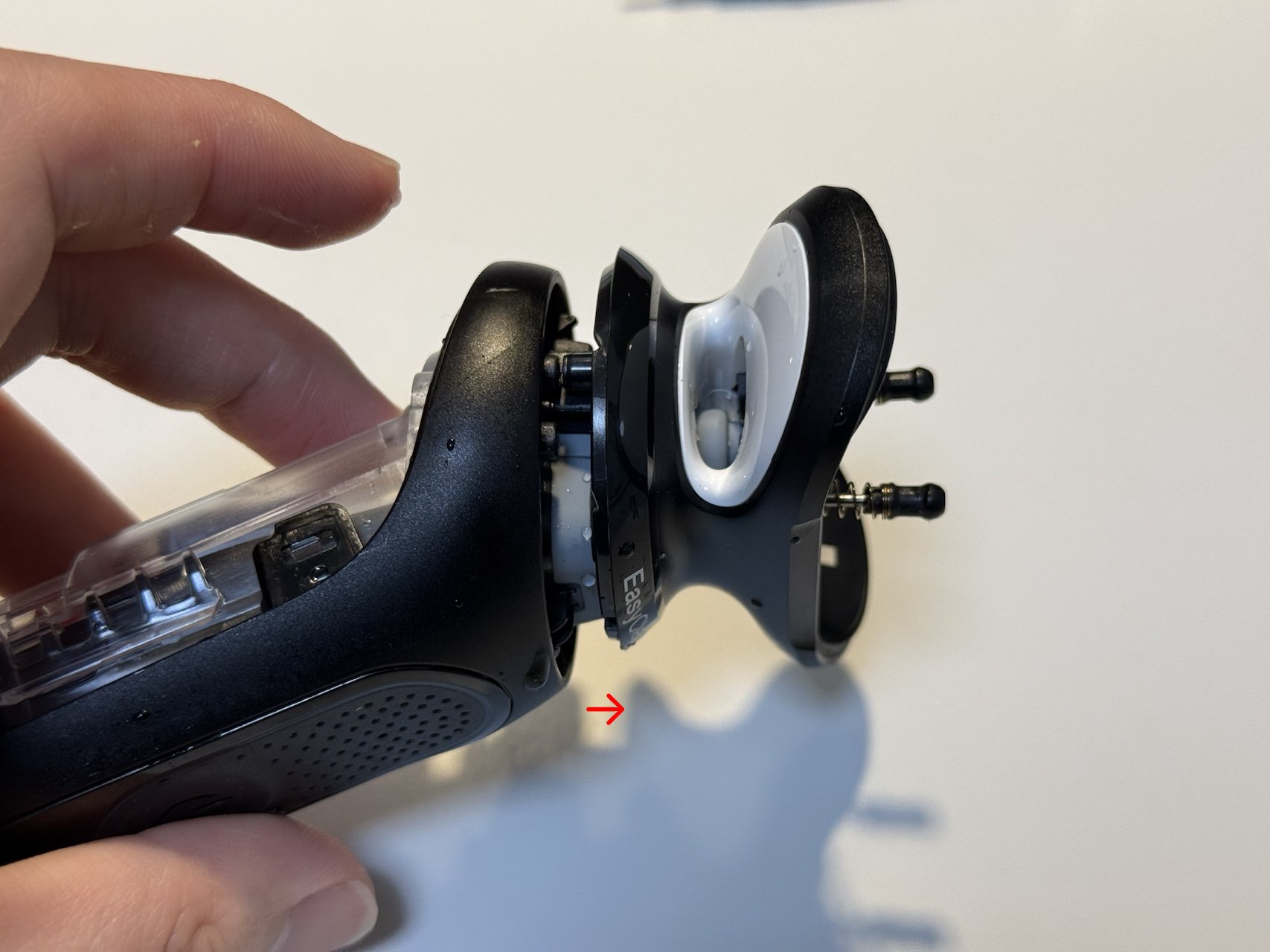
Once the screws are out, grab the head section and pull. You should be able to extract it as shown.
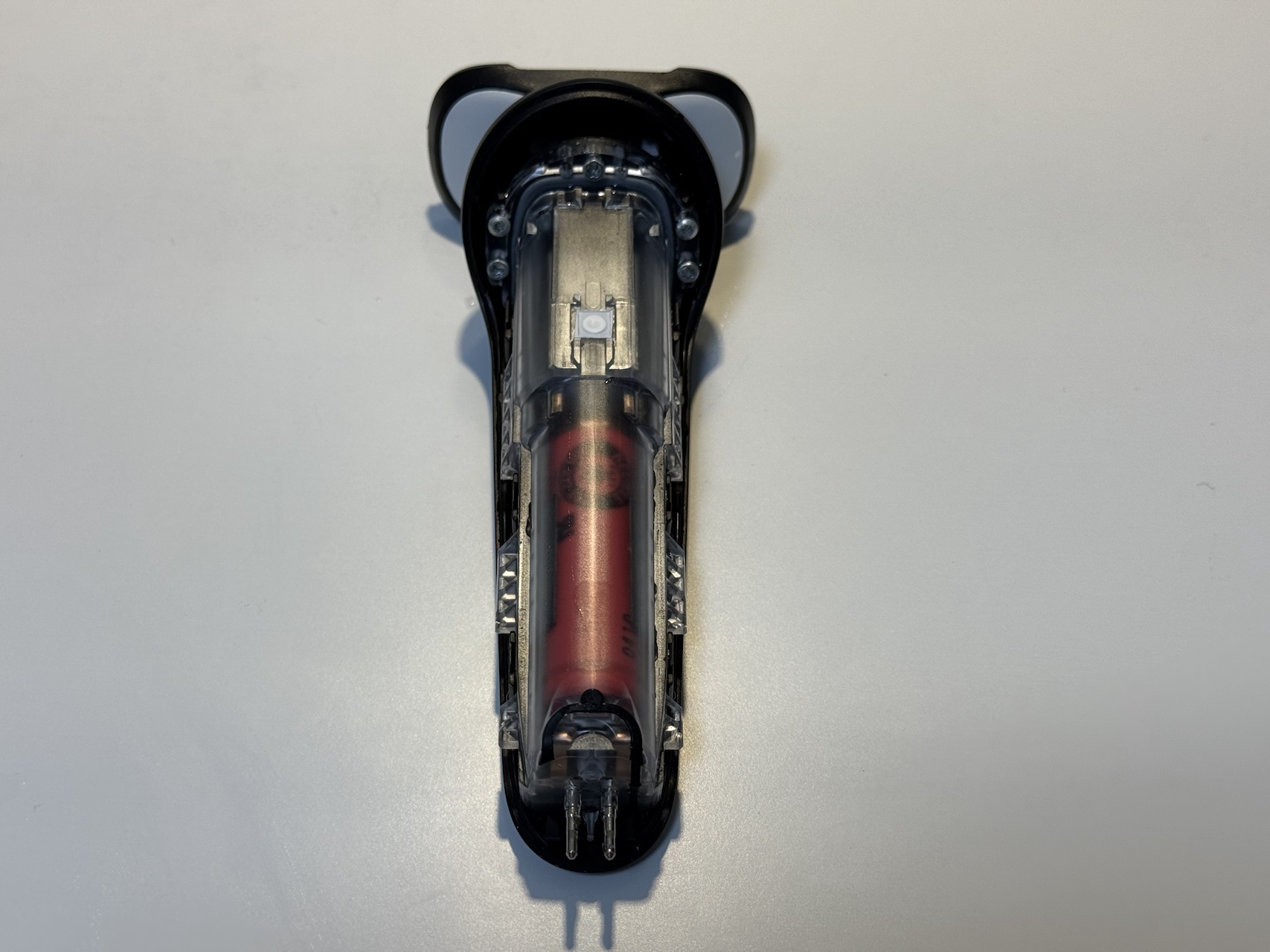
The internals are now fully exposed! Time for the battery swap.
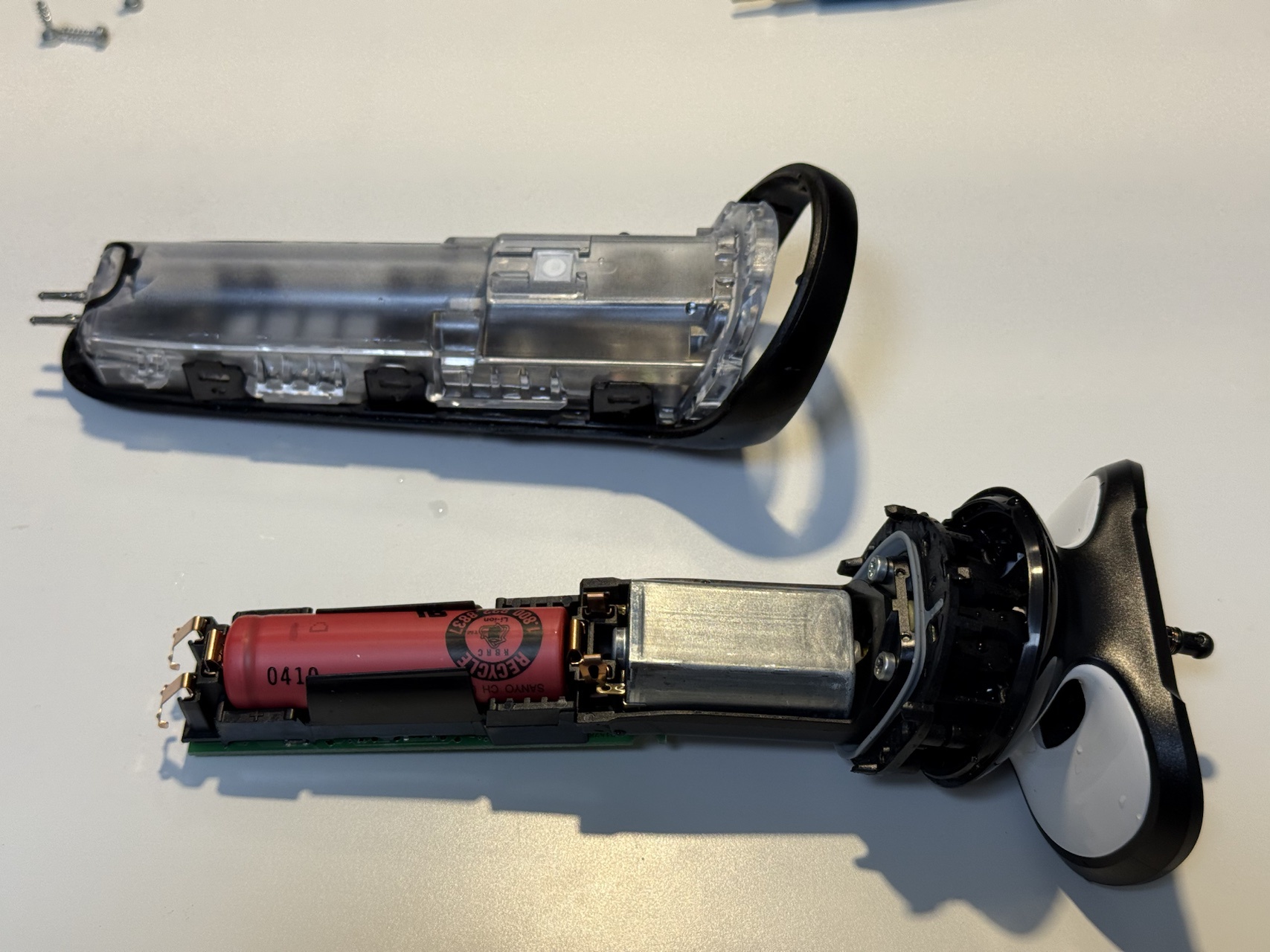
The battery inside is a “UR14500AC” — a Panasonic cell.
(If you look closely, you can see “SANYO” printed on it…)
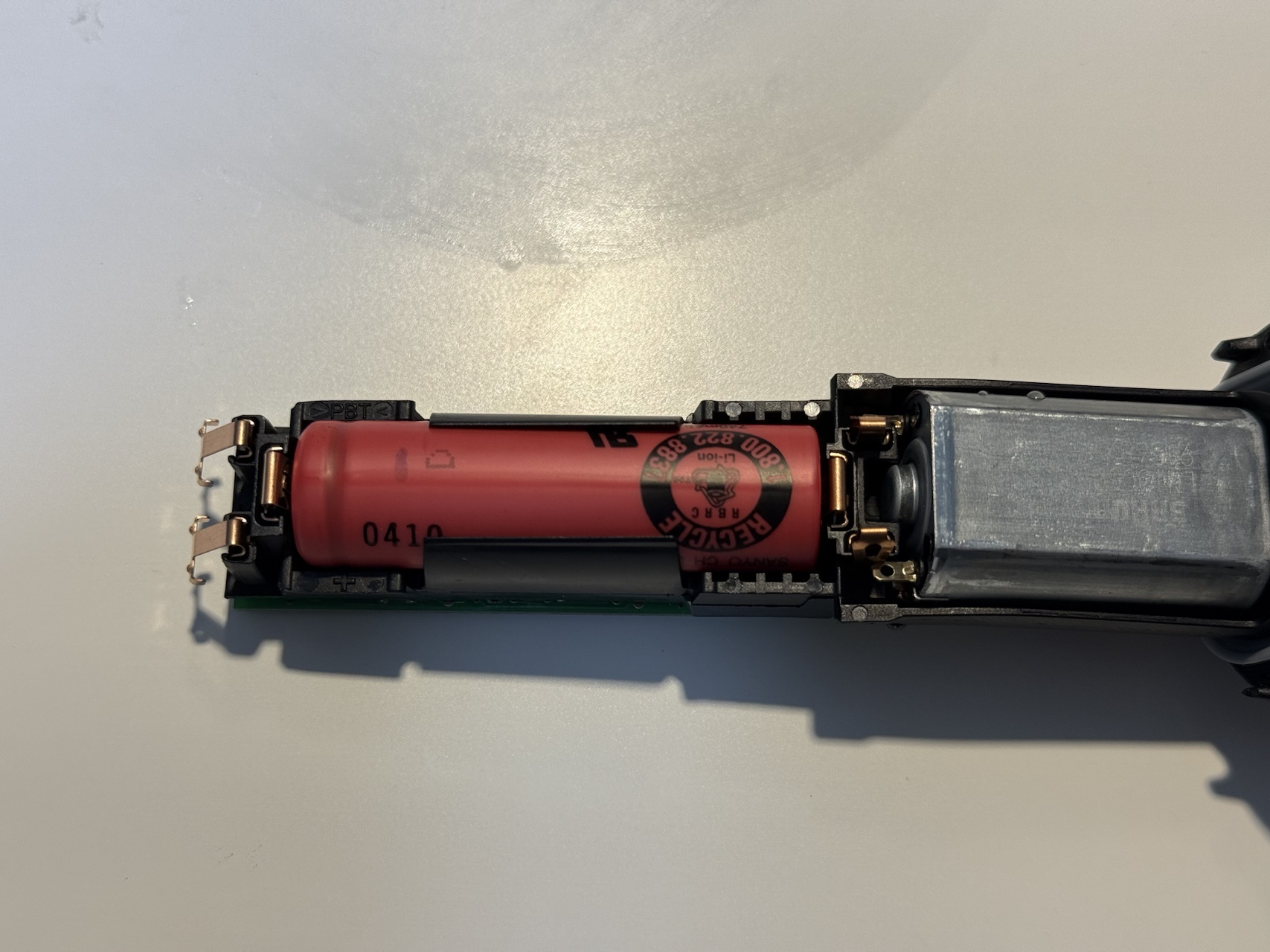
Swap it out for the new 14500 battery. It’s as simple as replacing a regular AA battery.
In this image, insert it with the positive (+) terminal on the left side.
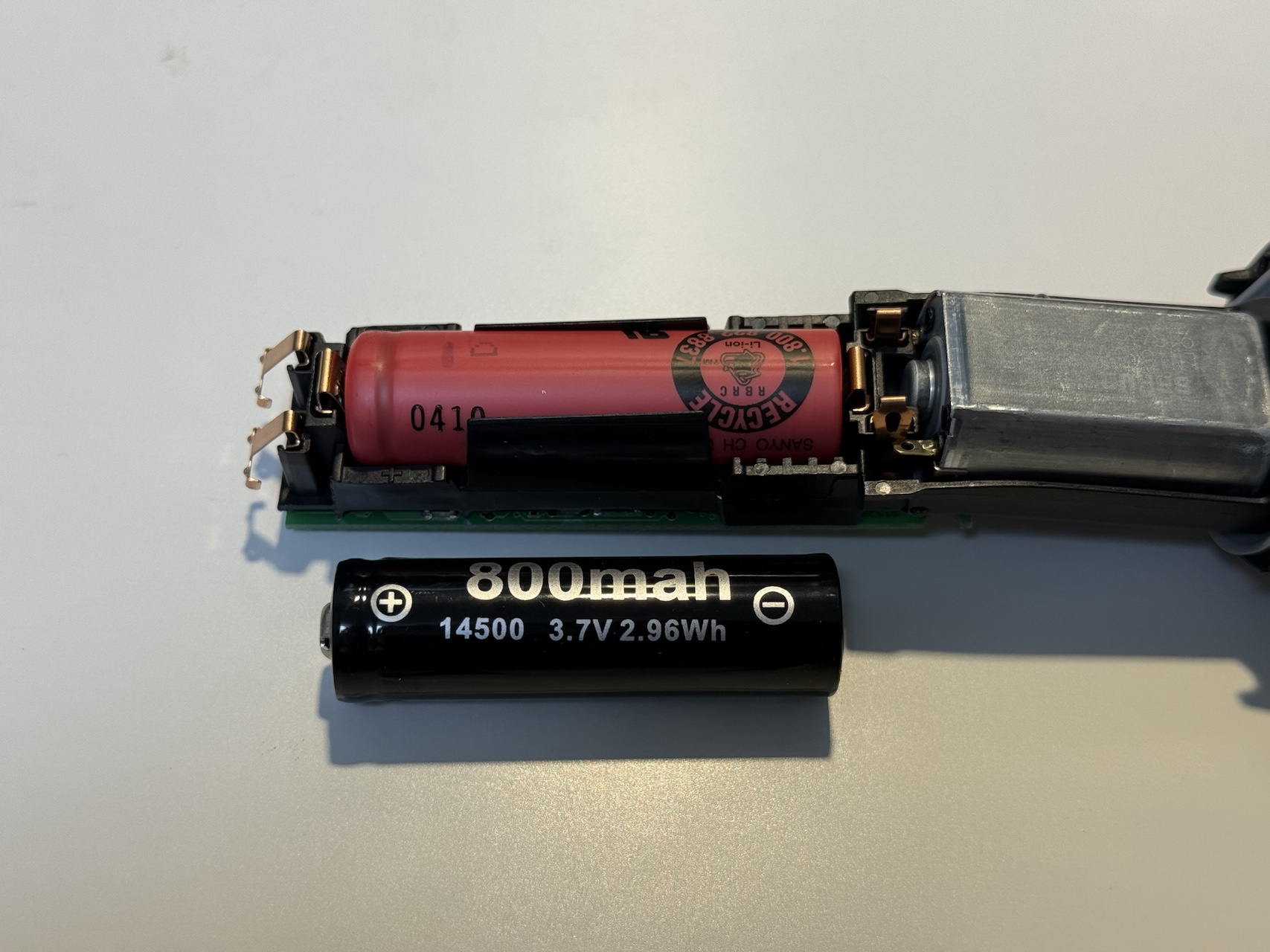
The swap is complete! Now just reassemble everything in reverse order.
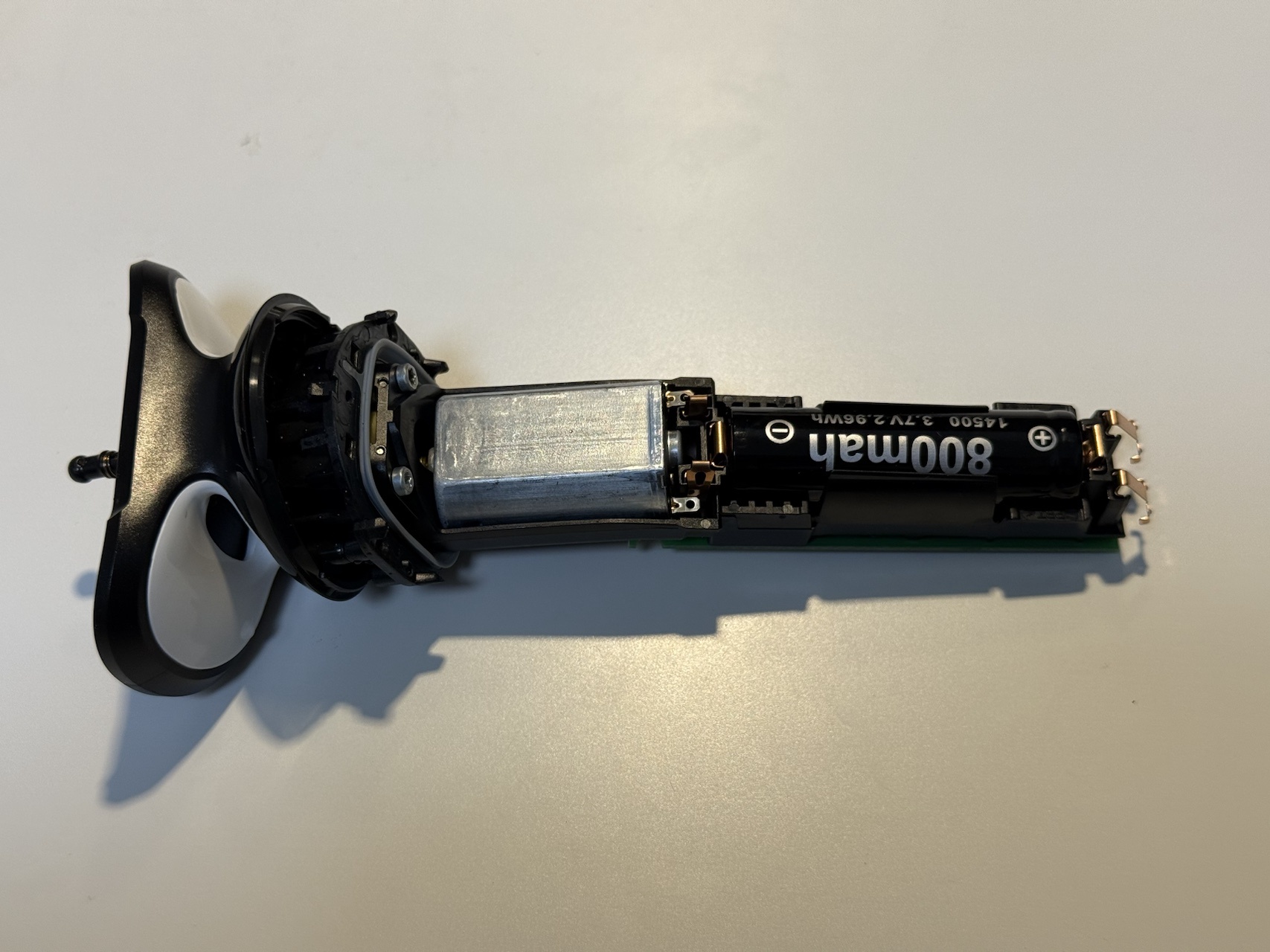
Important Note for Testing
There appears to be a safety mechanism — after a battery replacement, the shaver won’t power on until you briefly connect the AC adapter to initiate charging.
You might panic thinking you broke something, but don’t worry. Just plug in the AC adapter for a moment.
Charge it briefly and if it runs normally, the replacement is complete! Great work.
Final Thoughts
After the battery replacement, the shaver seems to run a bit better than before.
Previously, I had to charge it before every shave, but now the battery lasts over two weeks. Definitely worth doing.
The Braun Series 5 has this annoying design quirk where you can’t use it while charging. So replacing the battery to extend its life is really the only option. (At least they didn’t solder the battery in, which is a small mercy.)
By the way, I also use a Chinese-made compatible replacement foil head. It costs just over 1,000 yen and works perfectly fine.
By periodically replacing the battery and buying affordable compatible foil heads, this shaver could easily last over 10 years.
Honestly, I’d rather not spend money on shavers, so I plan to keep taking good care of this one.
Leave a Reply