
In the previous article, we got Claude Code installed and ran a simple program. This time, let’s take it a step further and try “building a game through conversation.”
One of the first hurdles programming beginners face is the “I don’t know what to build” wall. But with Claude Code, that’s not a problem — you can build something together through conversation!
What we’re building today is a “number guessing game.” It’s a simple game where you try to guess a number the computer has picked, but it’s packed with programming fundamentals.
Recap of the Previous Article
Let’s quickly review what we covered last time.
- Installing Claude Code: We installed it easily using PowerShell
- First program: We displayed Hello World
- Simple calculator: We built an addition program
If you haven’t read the previous article yet, I recommend checking out the Complete Guide to Using Claude Code first.
Game Specifications
First, let’s decide what kind of game we’re building. Here are the specifications:
Game Flow
- The computer picks a random number between 1 and 100
- The player guesses the number
- Hints like “higher” or “lower” are given
- The game ends when you guess correctly
- The number of attempts is displayed
It’s simple, but it covers all the basics: random number generation, input handling, conditional branching, and loops.
Consulting Claude Code
Let’s fire up Claude Code and describe the game we want to build.
Open PowerShell and navigate to your project folder.
Creating a Project Folder
You can use the test_project folder from last time, or create a new one. This time, let’s create a new game_project folder.

Once the folder is created, navigate into it and launch Claude Code.
Giving Instructions to Claude Code
Once Claude Code is running, try giving it a prompt like this:
My prompt:
“I want to make a number guessing game. The computer picks a number between 1 and 100, and the player tries to guess it. Please add a hint feature too.”
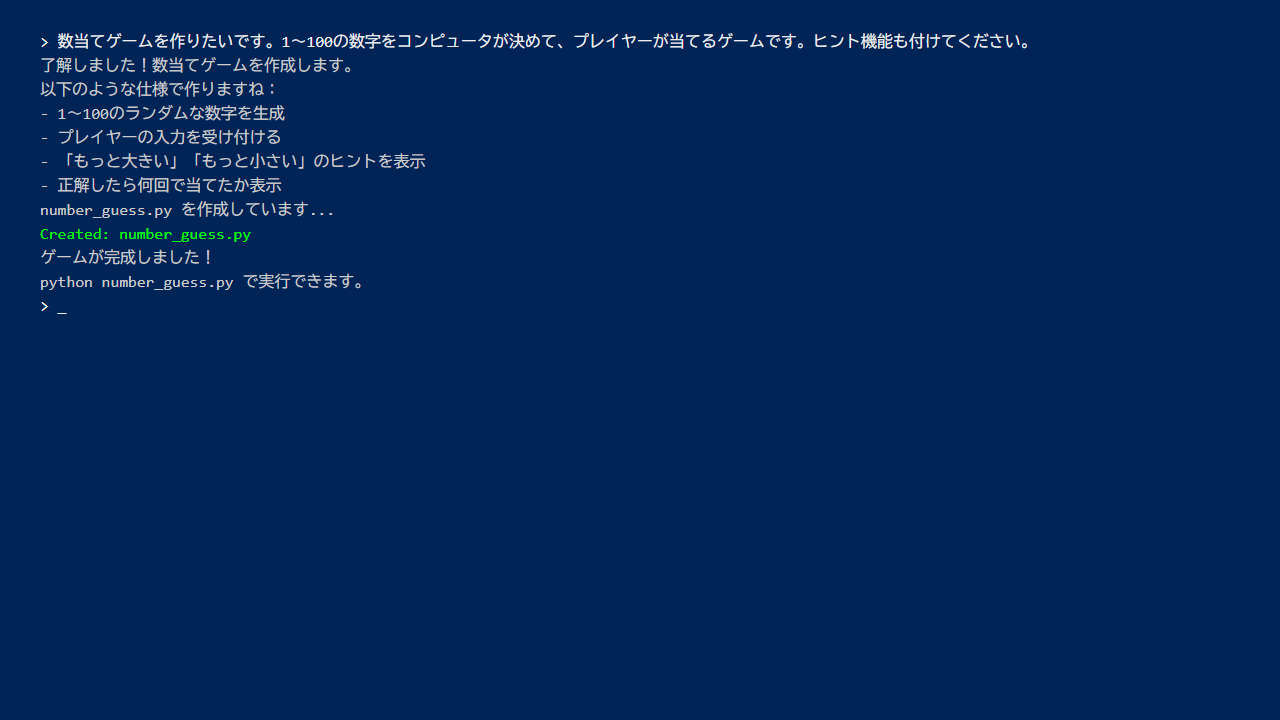
Claude Code responds with something like “Got it!” and starts building the program.
When I tried it, the program was done in about 10 seconds. Impressive!
Examining the Generated Program
Here’s the program Claude Code created:
number_guess.py
import random

def number_guessing_game():
    # Generate a random number between 1 and 100
    target_number = random.randint(1, 100)
    attempts = 0

    print("Welcome to the Number Guessing Game!")
    print("Guess a number between 1 and 100.")
    print()

    while True:
        try:
            # Get the player's input
            guess = int(input("Enter your guess: "))
            attempts += 1

            # Check input range
            if guess < 1 or guess > 100:
                print("Please enter a number between 1 and 100!")
                continue

            # Check the guess
            if guess == target_number:
                print(f"Correct! You got it in {attempts} attempts!")
                break
            elif guess < target_number:
                print("Higher!")
            else:
                print("Lower!")

        except ValueError:
            print("Please enter a valid number!")

if __name__ == "__main__":
    number_guessing_game()
Looking at the code, it follows the specifications perfectly:
- Random number generation: random.randint(1, 100) picks a number between 1 and 100
- Loop: while True keeps going until the correct answer
- Conditional branching: if/elif/else provides hints
- Error handling: Handles non-numeric input
Writing this from scratch as a beginner would be quite challenging, but Claude Code does it in seconds!
Playing the Game
Let’s run it right away.
Enter the following command in PowerShell:
python number_guess.py
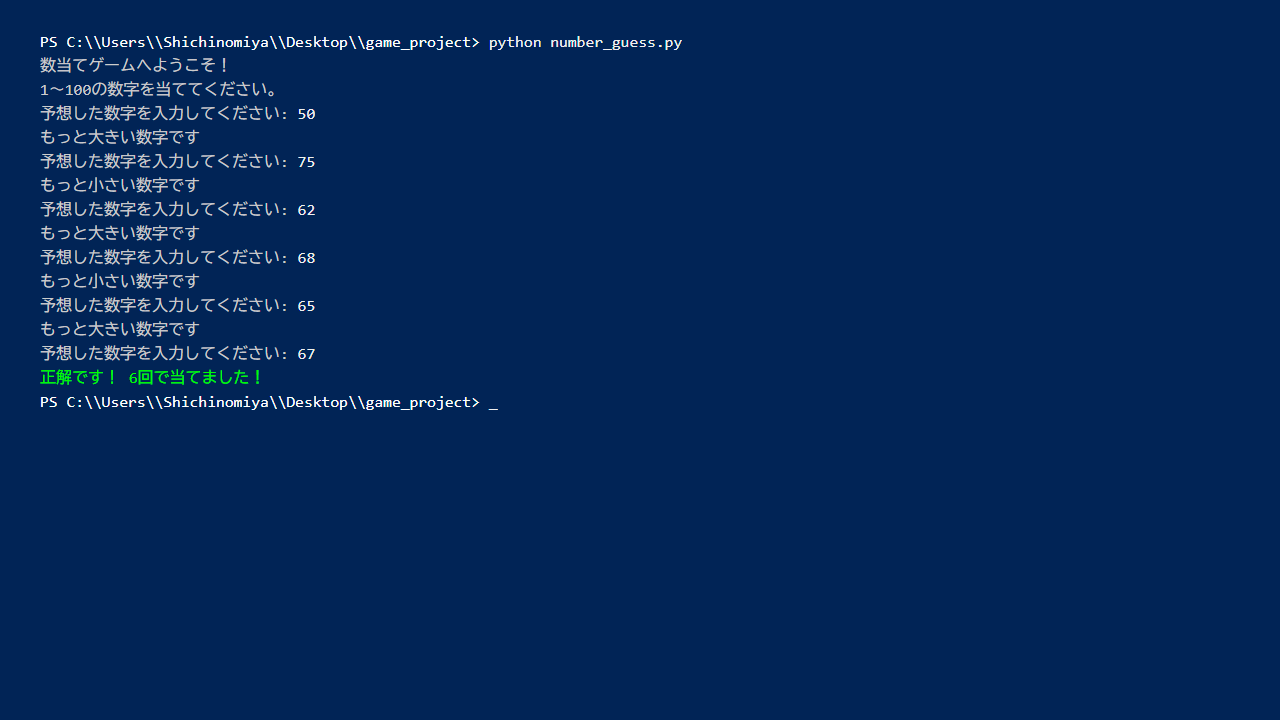
It works!
I got it on my 6th try. Harder than I expected!
Improving the Game
Here’s where it gets fun. After playing the game, if you think “I’d like to change this,” just ask Claude Code.
Adding a Difficulty Selection Feature
For example, I wanted to add difficulty levels.
My prompt:
“Please add a difficulty selection at the start of the game: Easy (1-50), Normal (1-100), Hard (1-500).”
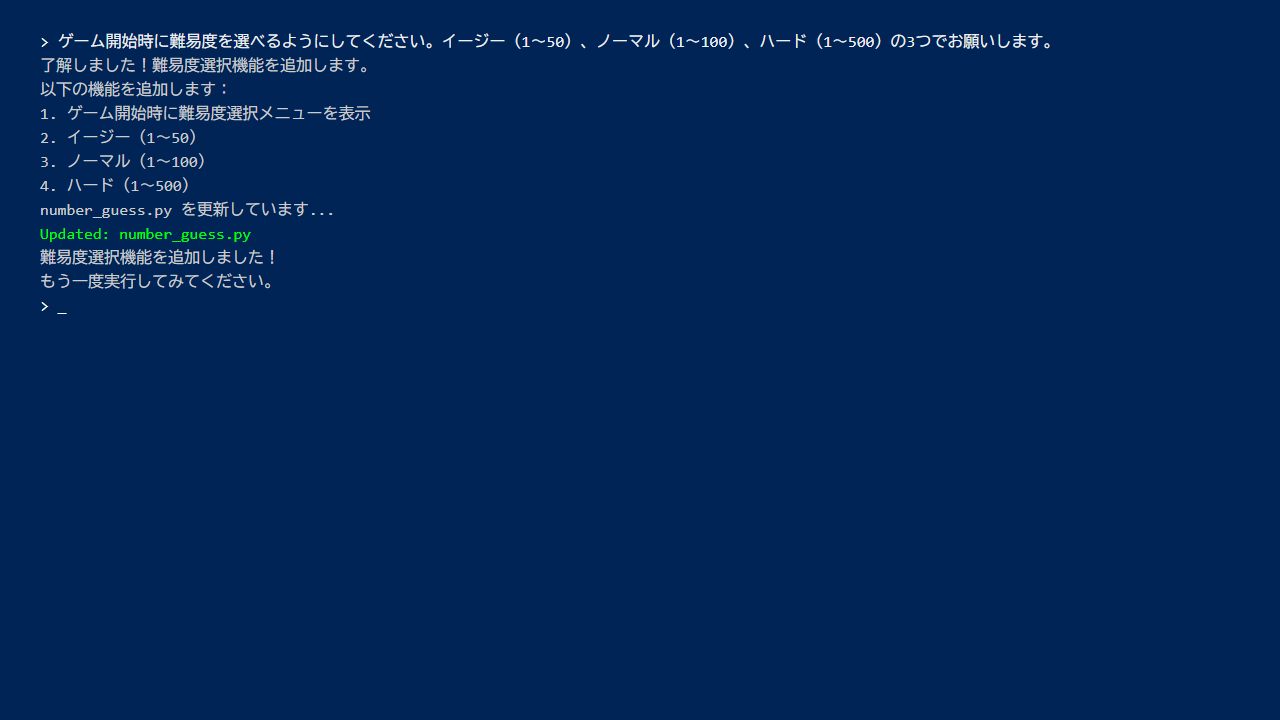
Claude Code then modifies the program accordingly.
The Updated Program
Here’s the difficulty selection code that was added:
def select_difficulty():
    print("Select difficulty:")
    print("1. Easy (1-50)")
    print("2. Normal (1-100)")
    print("3. Hard (1-500)")

    while True:
        choice = input("Choose (1-3): ")
        if choice == "1":
            return 50
        elif choice == "2":
            return 100
        elif choice == "3":
            return 500
        else:
            print("Please enter 1, 2, or 3")
Just like that, you can keep adding features incrementally.
Handling Errors
You’ll occasionally run into errors while building programs. But don’t worry — Claude Code can help you fix them.
Common Errors
Error 1: ModuleNotFoundError
If you get something like “random module not found,” Python may not be installed correctly.
Error 2: IndentationError
This is an indentation error. Python is strict about indentation, so be careful when copy-pasting code.
When You Hit an Error
Just paste the error message directly into Claude Code.
My prompt:
“I got this error: (paste the error message)”
Claude Code will explain the cause and fix it for you. This is genuinely useful!
Tips for Effective Conversations with Claude Code
After using Claude Code several times, here are some tips I’ve picked up for getting the best results.
Be Specific
- Bad: “Make a game”
- Good: “Make a number guessing game for 1-100 with a hint feature”
The more specific you are, the closer the result will be to what you want.
Don’t Hesitate to Ask Questions
If you don’t understand part of the code, just ask.
Example questions:
“What does random.randint do?”
“Can you explain how the while loop works?”
Claude Code will explain it clearly.
Improve Incrementally
Instead of trying to build everything at once, start with something that works and then add features.
- Build the basic game
- Play it
- Add what you want changed
- Play it again
This cycle is key.
What We Learned
In this article, we accomplished the following:
- Interactive development: Building programs through conversation with Claude Code
- Program improvement: Iteratively enhancing a working program
- Error handling: Solving errors by consulting Claude Code
- Fundamentals: Using random numbers, loops, and conditional branching in practice
Programming is really about building things step by step like this.
Next Time
In the next article (Level 3), we’ll build something more practical.
“Simplify Task Management with Claude Code! Building a Simple Todo List App”
Let’s build a tool you can actually use in daily life. A Todo list is something you’ll use every day.
Stay tuned!
Summary
In this article, we built a number guessing game with Claude Code.
Key takeaways:
- Give Claude Code specific instructions
- The trick is to improve incrementally
- When errors occur, just share them with Claude Code
- Don’t hesitate to ask about anything you don’t understand
Programming is surprisingly easy when you can build things through conversation like this!
Let’s keep learning and having fun together. See you next time!




Leave a Reply