Skip to content
MIYA·AI·LAB / generative-AI test logs LLM · Claude Code · MLX · Ollama
AI MiyaAILab_
  • // Lab
  • // all logs
JA / EN
← Miya-Gadget
Generative AI PC

Automate Email Sending with Claude Code: Fully Automating Routine Tasks

2025年11月22日 · Shichinomiya
Automate Email Sending with Claude Code: Fully Automating Routine Tasks

Table of Contents

Toggle

  • Automate Email Sending with Claude Code
  • What We’re Building: An Email Automation Tool
  • The Conversation with Claude Code
  • Implementation Steps
  • Streamlining Email Operations
  • My Impressions
  • Conclusion

Automate Email Sending with Claude Code: Fully Automating Routine Tasks

We’ve been building up to this point with PDF report generation and more, but this time we’re tackling “email automation.” I built a system that can send emails on a schedule or based on specific conditions.

What We’re Building: An Email Automation Tool

Key Features

  • Template system: Save templates for frequently used emails
  • Mail merge: Read recipients and content from Excel for bulk sending
  • File attachments: Automatically attach PDFs and Excel files
  • Scheduled sending: Send emails automatically at specified times
  • Send history: Track who received what and when

Claude Code - Email automation request

The Conversation with Claude Code

I asked Claude Code: “I want to automate my periodic report emails. Make it so I can do bulk sends from an Excel list.”

Claude Code suggested an implementation using the smtplib and email libraries:

  • Gmail/Outlook SMTP configuration
  • Template engine for generating email body text
  • pandas for reading recipient data from Excel
  • File attachment encoding

Implementation Steps

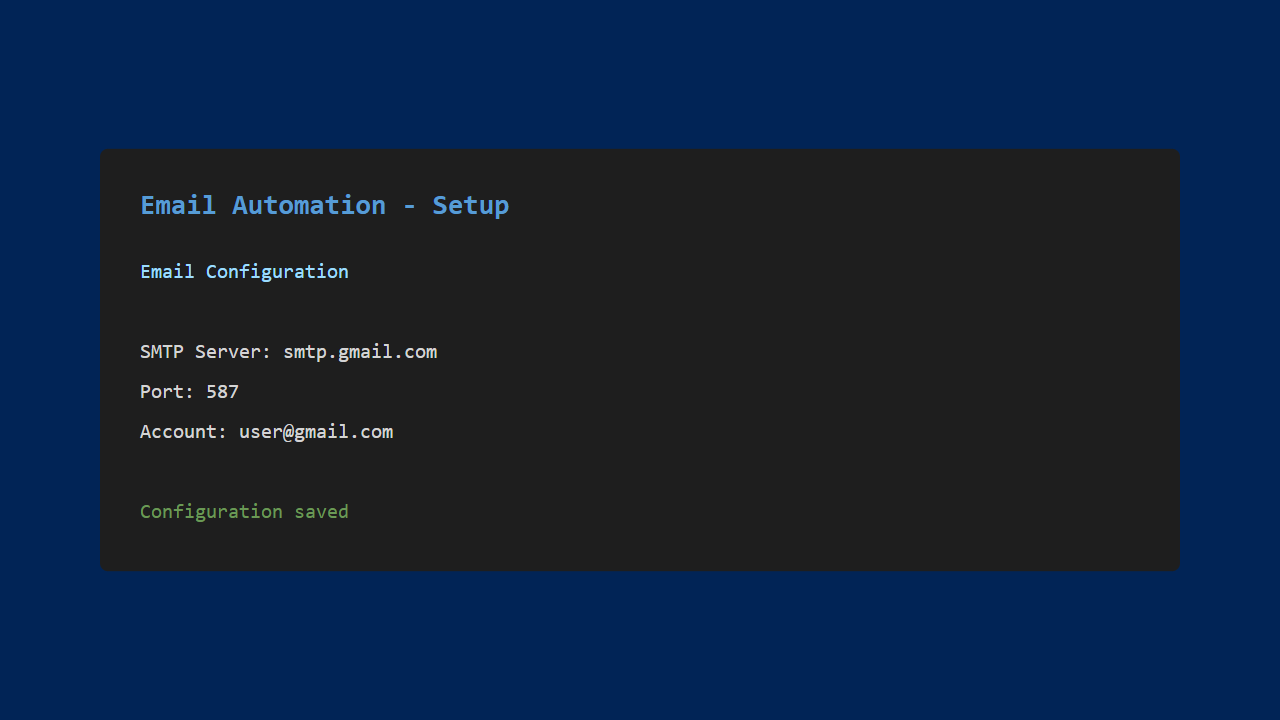
1. Email Configuration

Set up the sender’s email account and SMTP settings.
Email configuration

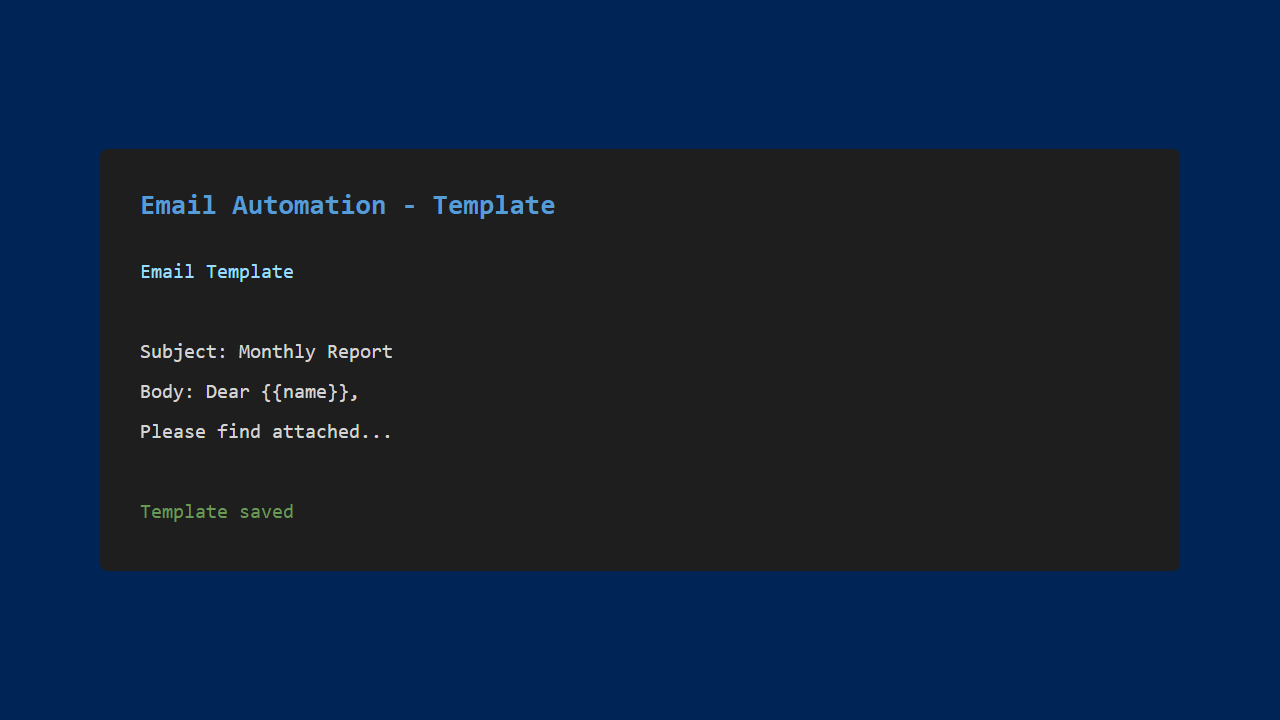
2. Create Templates

Create email templates. Use variables to insert recipient names and other personalized content.
Template creation

3. Load the Recipient List

Import the recipient list from an Excel file.
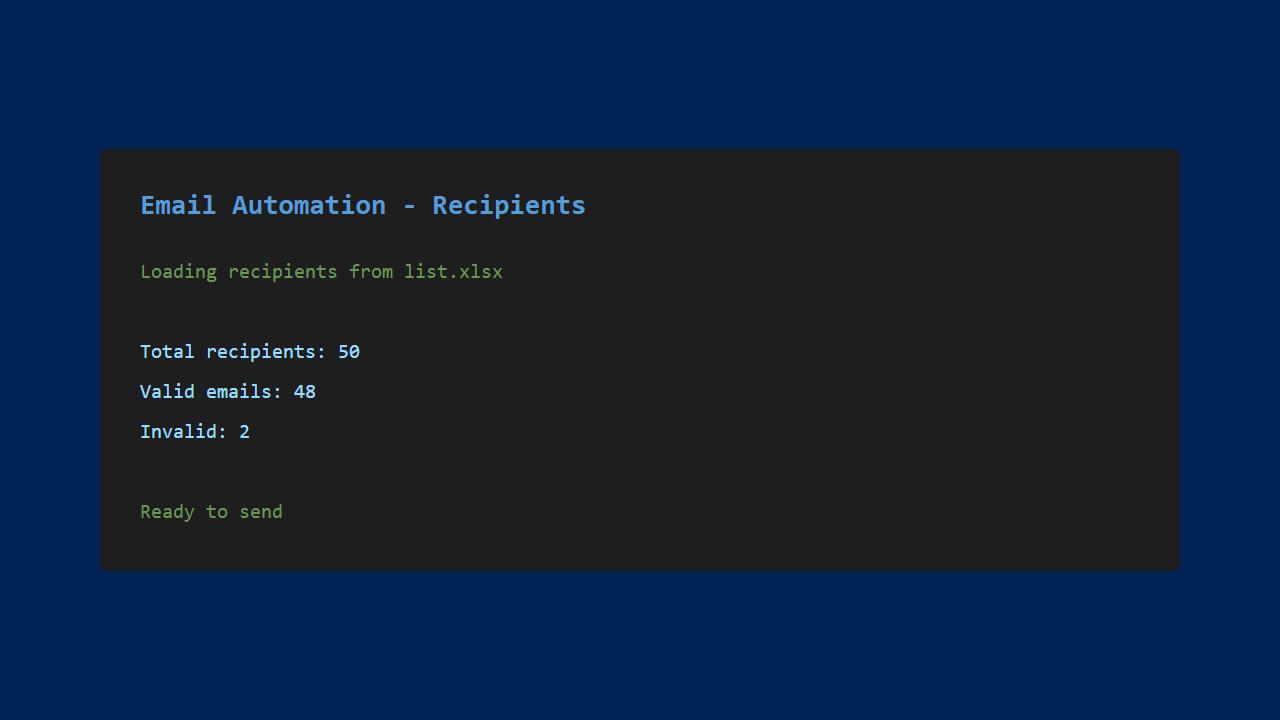
Recipient list

4. Execute Bulk Send

Review the content on the confirmation screen, then execute the bulk send.
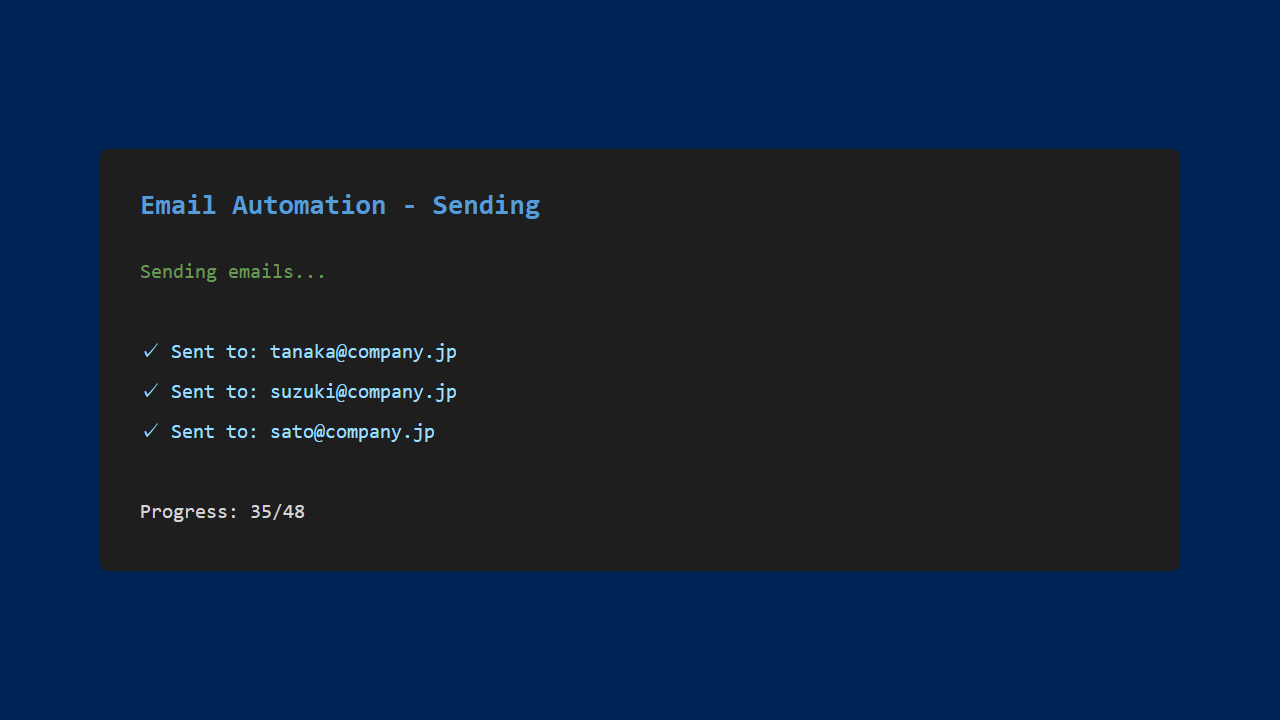
Email sending in progress

Streamlining Email Operations

Massive Time Savings

When sending personalized emails to 100 people:

  • Manually: 2-3 hours
  • Automated: A few minutes

Fewer Mistakes

  • No name mix-ups: Names are inserted automatically from the data
  • No forgotten attachments: Files are attached automatically
  • No missed recipients: Every person on the list gets their email

Practical Use Cases

  • Automatic monthly report delivery
  • Sending invoices to clients
  • Event announcements and mass mailings
  • Automated reminder emails

My Impressions

What Worked Well

  • Dramatic efficiency gains: Routine tasks are now almost fully automated
  • Better reliability: Human errors are eliminated
  • Flexible customization: Conditional logic and complex workflows are possible
  • Send history logging: Easy to verify past sends when issues arise

Areas for Improvement

  • More advanced HTML email design
  • Read receipt tracking
  • Automated reply handling
  • Web-based interface for operation

Conclusion

Using Claude Code, I was able to build an email automation tool from scratch.

By automating routine email tasks, you free up time to focus on work that truly matters. The mail merge feature, in particular, is a practical function that applies to many business scenarios.

In the next installment, I’ll be building a comprehensive application that brings together everything we’ve learned so far.

See you in the next article!
You might also like

More generative-AI logs from the lab.

  • Auto-Generate PDF Reports with Claude Code: From Raw Data to Polished Documents
  • Your First Program with Claude Code! Building a Game Through Conversation
  • Simplify Task Management with Claude Code! Building a Simple Todo List App
  • Build a Budget Tracker App with Claude Code: Data Visualization Made Easy
Previous Article Auto-Generate PDF Reports with Claude Code: From Raw Data to Polished Documents
Next Article Building a Full-Stack Blog System with Claude Code: Applying Everything I Learned

Related Posts

Building a Weather Forecast App with Claude Code and API Integration

Building a Weather Forecast App with Claude Code and API Integration

Can you really cut your AI API bill? I deployed the context-compression tool “Headroom” and measured it

Can you really cut your AI API bill? I deployed the context-compression tool “Headroom” and measured it

Simplify Task Management with Claude Code! Building a Simple Todo List App

Simplify Task Management with Claude Code! Building a Simple Todo List App

Qwen 3.6 on a Mac, Measured: on an M1 Max 64GB, the MoE 35B ran 3.7x faster than the 27B

Qwen 3.6 on a Mac, Measured: on an M1 Max 64GB, the MoE 35B ran 3.7x faster than the 27B

Leave a Reply Cancel reply

Your email address will not be published. Required fields are marked *

Shichinomiya

Shichinomiya

A blogger who loves PC and gadgets. Sharing daily discoveries.

@shichinomiya_s

Popular Posts

  • Does the trending Claude Code skill “ADHD” actually make the agent smarter? A measured duel vs single-shot
  • Building a Weather Forecast App with Claude Code and API Integration
  • Can you really cut your AI API bill? I deployed the context-compression tool “Headroom” and measured it
  • Smart Shopping with Claude Code: Building an Automatic Price Monitoring Tool
  • Darkbloom Review: Can a Mac Really Earn Money Serving AI? (I Tested It for a Day)

Categories

  • Announcements
  • Cars
  • Cycling
  • Gadgets
  • Generative AI
  • Home Appliances
  • Internet Service
  • Outings
  • Overseas Shopping
  • PC
  • Rental Servers & VPS
  • Travel

MiyaAILab

A hands-on lab for generative AI — new models, tools, and services tested for real, from benchmarks to everyday usefulness.

Lab

  • AI Lab トップ
  • 生成AI 全記事
  • ← Miya-Gadget 本体

Latest

  • Dual Tesla V100 SXM2 on a Single PCIe Slot: 64GB VRAM & 300 GB/s NVLink Tested — Is This $700 Setup Worth It?
  • Modded RTX 4080 32GB Benchmarked: Qwen3.8-27B at 262K Context, 125B MoE, and MiniMax H3 Video — What 32GB Actually Delivers
  • Tesla V100 32GB Runs Qwen3.8-27B: 131k Context on a Single Card — Measured Benchmark
  • Tesla V100 32GB in 2026: Local LLM Benchmark with Qwen 3.6 — 98.8 tok/s on MoE 35B, 1.6x Faster Than M1 Max (Used, ≈$900)
© 2026 Miya AI Lab — a section of Miya-Gadget. miyagadget.page