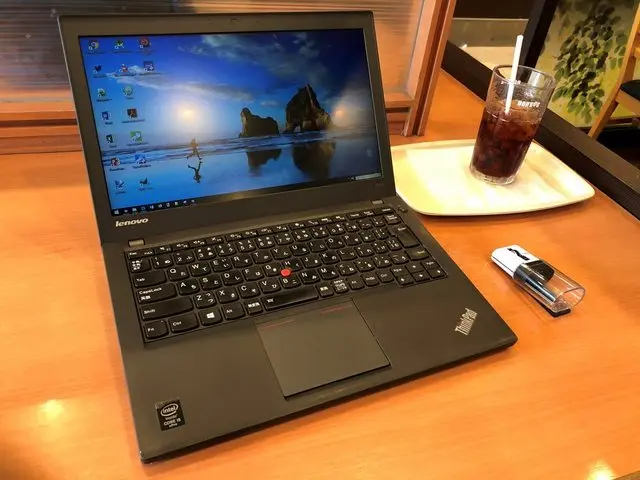
September has arrived, and I’ve already been spending money since the very first day of the month.
As the title suggests, I purchased a used Lenovo ThinkPad X240.
Yes, this is one of those niche articles that nobody asked for.
I had actually been looking for a notebook PC for a while. My requirements were at least 8GB of RAM, an SSD (not eMMC), and a 3rd-gen or newer Core i processor — all at a reasonable price.
After getting paid from my part-time job, I was browsing a website that aggregates deals from various Akihabara shops, when I stumbled upon this listing:
Looking into it further, I found a ThinkPad X240 with Core i5 4200U / 4GB / 180GB SSD / 9-cell battery (3+6) on sale for 24,800 yen.
Judging from the photos, the condition looked quite good, so I thought it was a steal and headed to Akihabara the next day.
*Embedded tweet from the used PC shop PC Confle Akihabara. Twitter’s terms of service allow embedding without permission, but I will remove it upon request.
When I actually visited the store and inspected the unit in person, the condition was excellent, and the battery didn’t seem too degraded either — it looked like a really great deal.
And before I knew it, I had already bought it.
Specs Overview
Display: 12.5 inches (1336×768)
CPU: Core i5 4200U 1.9GHz 2C4T
RAM: 4GB (upgraded to 8GB)
SSD: 180GB
Battery: Internal 3-cell + External 6-cell (9-cell total)
Honestly, these specs are more than enough for my needs. One of the reasons I was dissatisfied with my TransBook T304UA was that I cheaped out and bought the model with less RAM, so even with a slightly weaker CPU, this is perfectly fine.
Also, the T304UA uses a kickstand to prop itself into a laptop-like form factor, which takes up a lot of desk space and is awkward to use on your lap. That’s why I wanted a traditional notebook PC.
Exterior
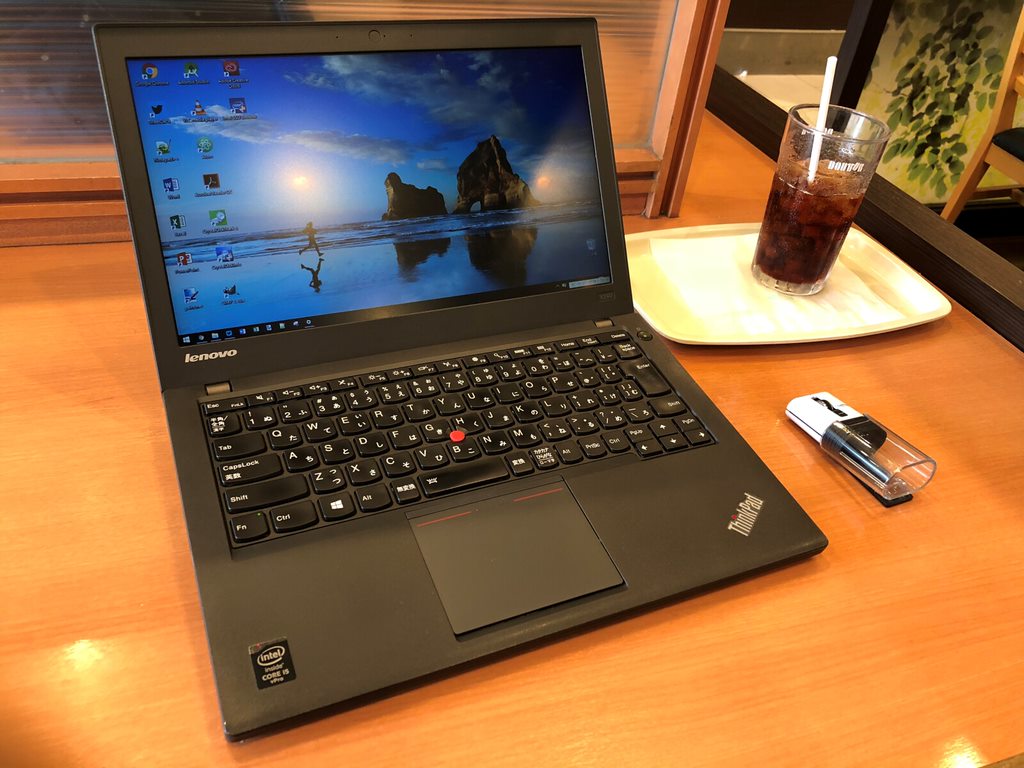
The exterior is in excellent condition. Some units had sticker (label tape) residue, but I picked one with a clean chassis.
It has that classic ThinkPad design, and I really love it.
The keyboard is the redesigned version introduced with the X230 and later models. Some longtime ThinkPad users apparently don’t care for this keyboard, but personally, I’m quite fond of it.
Of all the keyboards I own, this is arguably the most comfortable to type on.
The trackpad is a matter of personal preference. After using it briefly, I found it a bit awkward and felt I’d still want to bring a mouse when taking it out.
Apparently, the trackpad can be replaced with a different part, so maybe I’ll swap it out.
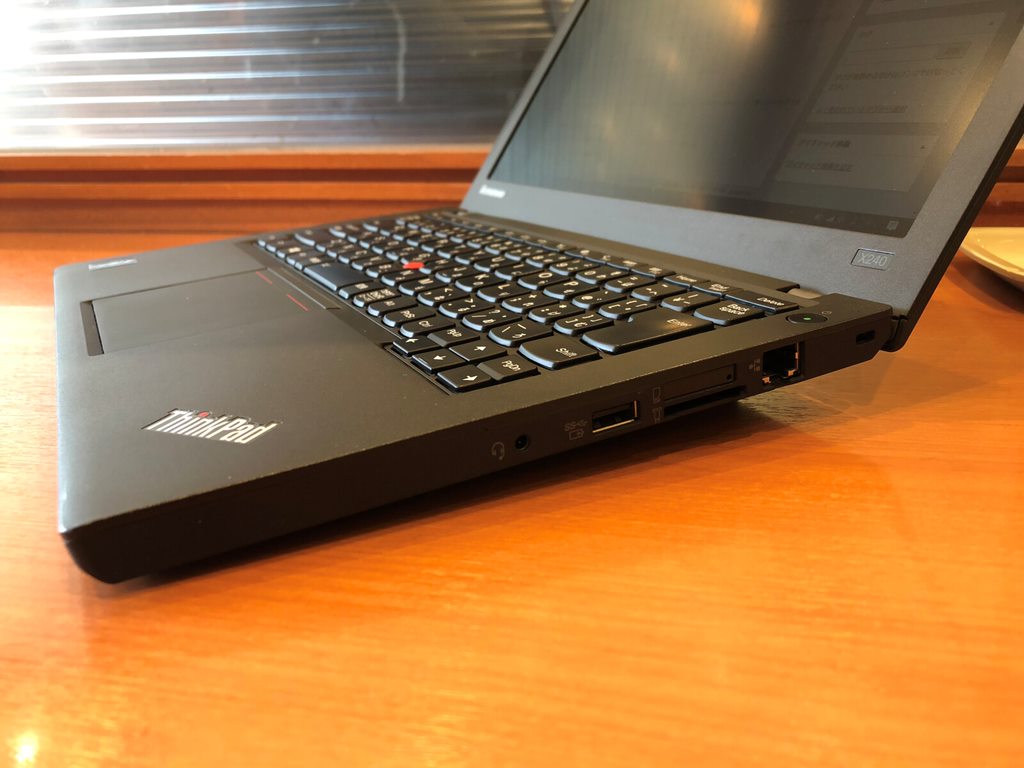
For an ultrabook, the port selection on both sides is impressively generous. There are two USB 3.0 ports and even an Ethernet jack.
The one downside is that it has VGA instead of HDMI.
That said, the monitor I mainly use only has VGA available anyway, so maybe it worked out.
Either way, it supports FHD output, so there’s no real issue.
What’s really convenient is that it came with a WWLAN (3G) module built in. The listing didn’t mention it, so I assumed it was a non-WWAN model — but it turned out to be a WWAN-equipped unit.
Since it’s 3G, you can’t expect blazing speeds, but it should be fast enough for everyday use.
I ran a quick speed test over 3G while out and about, and although uploads were slow, downloads hit 12Mbps — more than enough for normal use. (Using a LINE Mobile SoftBank connection.)
Since 4G has become the mainstream now and fewer people use 3G, the network might actually be less congested — so 3G might work just fine.
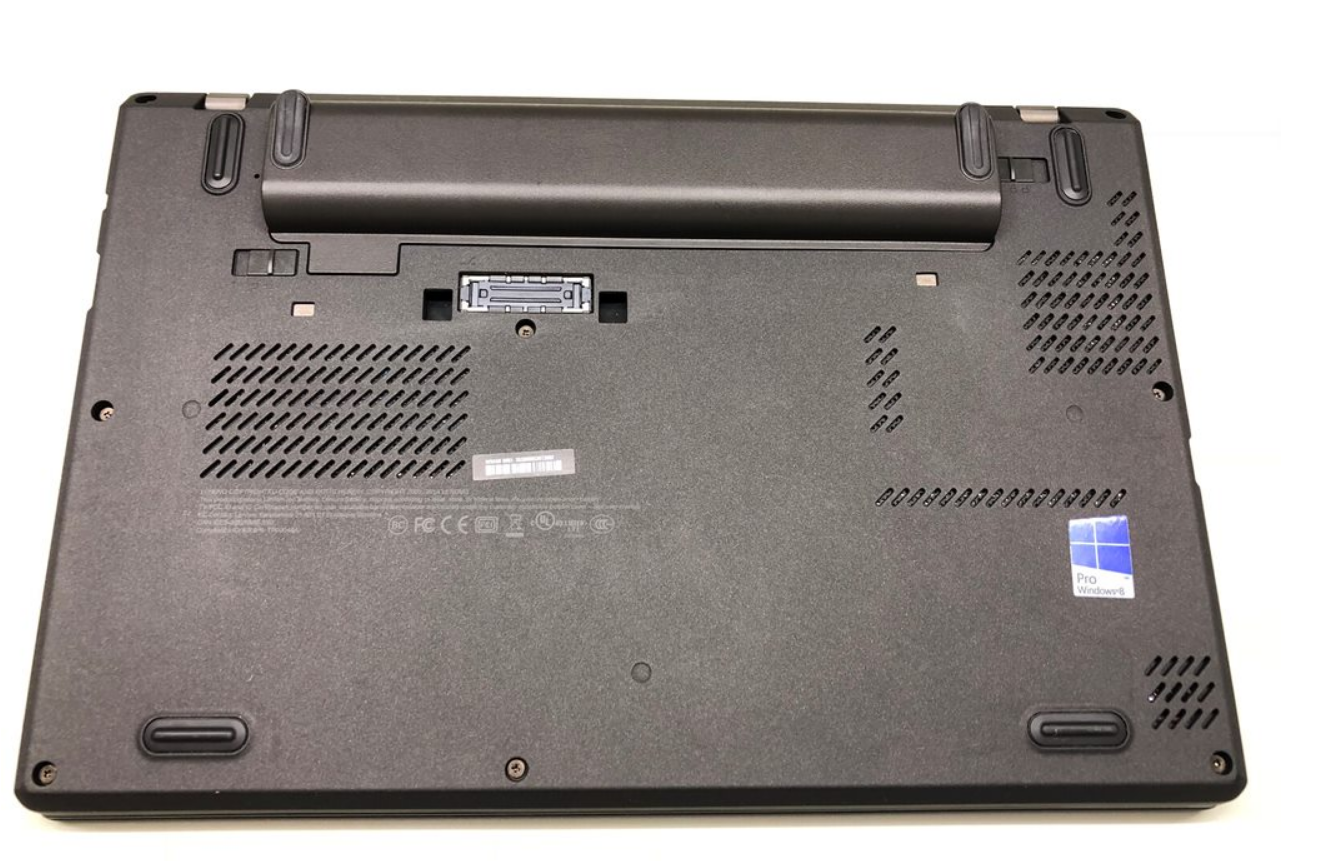
And here’s the real highlight — the protruding external 6-cell battery (72Wh).
Windows lets you check battery health (similar to S.M.A.R.T. for HDDs), and the internal battery showed almost no degradation. The external battery still retained about 86.43% of its original capacity.
However, with the external battery attached, the total weight reaches 1.6 kg, which isn’t great for portability. I’d like to get a 3-cell external battery instead…
The ThinkPad X series maintains battery compatibility across generations — the same battery works all the way up to the X270.
The X270 is just one generation before the then-current X280, so replacement batteries are naturally still sold through official channels. Lenovo even sells the 9-cell battery for the X230 on their website.
This kind of long-term support is really impressive… It’s the complete opposite of a certain fruit company.
As for RAM, from the X230 onward, there’s only one DIMM slot. So I picked up an 8GB stick from a nearby Janpara shop.
The upgrade is dead simple — just remove a few screws, pop off the back cover, and you have access to most of the internals. Swapping the RAM takes no effort at all.
The 8GB upgrade is done. The whole process took less than 5 minutes.
The 3G module. It has the proper technical certification mark. I wonder if LTE modules have them too?
The SSD is an Intel SSD Pro 2500. This drive is remarkably power-efficient while still delivering decent transfer speeds — a real standout.
I checked the SSD health in CrystalDiskInfo and everything looks fine.
Judging by the usage hours, it seems like this drive was only used for about a year. Either way, I’m glad I got a good unit.
Before opening it up, I had been planning to swap in an even more power-efficient SSD to reduce battery drain — but those plans went right out the window.
As for performance, the CPU is a 4th-generation Core i5 4200U. It’s part of the Haswell series, which has a large user base and a reputation for stability.
I ran CINEBENCH and got the following results. The scores are more than adequate for everyday tasks.
Final Thoughts
For now, I’m planning to upgrade to an FHD display, swap in an LTE module, and pick up a 3-cell battery. I’m confident that these upgrades will turn this machine into an absolute beast.
Until now, I never had the chance to own a ThinkPad. At most, I had briefly used vintage IBM-era ThinkPads, or recommended one to a friend who wanted a well-performing laptop at the lowest possible price.
This is the first ThinkPad I can truly call my own, and I’ve genuinely fallen in love with it. I can say without exaggeration that my next Windows notebook will almost certainly be another ThinkPad.
I plan to take great care of this ThinkPad X240.
((Now, what to do with my now-redundant MacBook Air (11-inch, Mid 2011)…))
Update:
About 30 minutes before publishing this article, I accidentally scratched the lid of the ThinkPad X240.
It turned out to be more fragile than I expected (the lid is particularly prone to scratches, so handle with care).
I’m pretty upset about it, but I’ll consider replacing the lid when I do the FHD upgrade.
That’s all for now. Maybe the next X240 article will be about the FHD display upgrade!

![[Free] How to Clear the EPSON EP-804A Waste Ink Pad Error with the Open-Source EWR Tool](https://miyagadget.page/wp-content/uploads/2026/09/hero-ep804a-waste-ink-error-640x360.jpg)

Leave a Reply