Skip to content
Miya-Gadget
  • PC
  • Gadgets
  • Generative AI
  • Travel
  • Cars
  • Announcements
  • Contact
JA / EN
  1. Home
  2. Gadgets
  3. Lenovo Watch 9 Pairing Failure — Fixed with a Battery Swap
Gadgets

Lenovo Watch 9 Pairing Failure — Fixed with a Battery Swap

2018年9月4日 ·
Lenovo Watch 9 Pairing Failure — Fixed with a Battery Swap

I know I’ve been writing a lot about the Lenovo Watch 9, but this time the topic is how it became completely unable to pair, leaving me in quite a predicament.


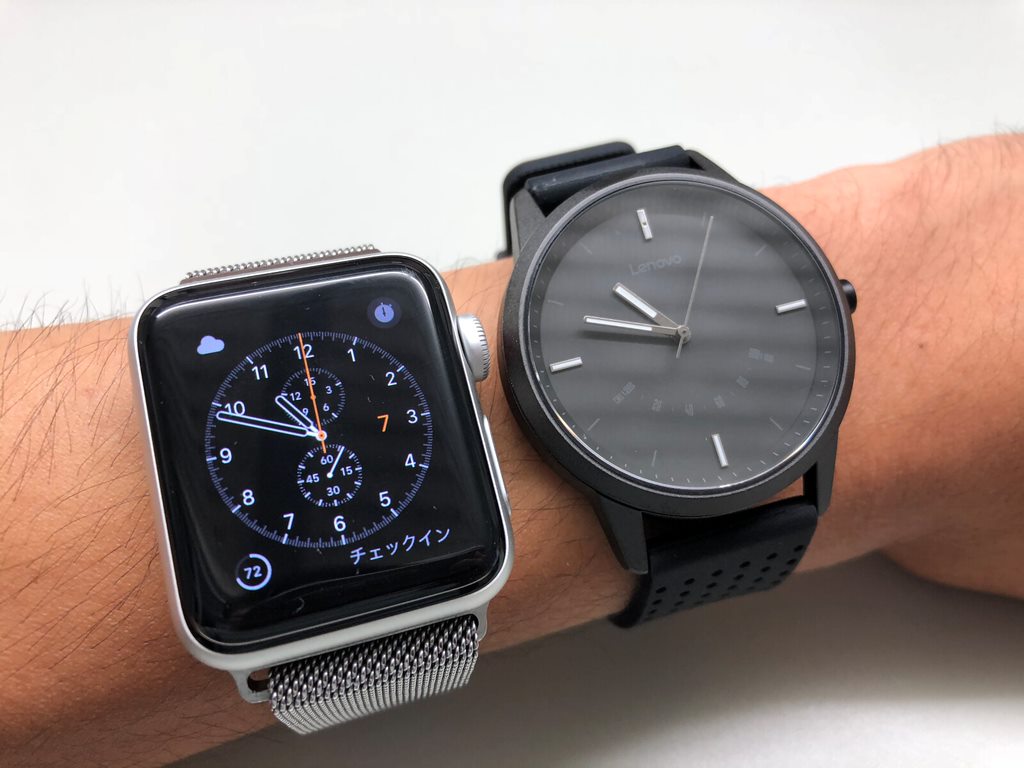
I mainly use an Apple Watch Series 3 day-to-day, but the Lenovo Watch 9 comes in handy when charging is inconvenient during travel, or when wearing a smart display watch isn’t appropriate. It quietly does its job.

It was during one of those trips that I noticed it had become unpaired. I figured I’d just re-pair it later, but when I got home, things turned into quite the struggle…


Table of Contents

Toggle

  • The Situation
  • The Cause
  • The Fix
  • Conclusion

The Situation


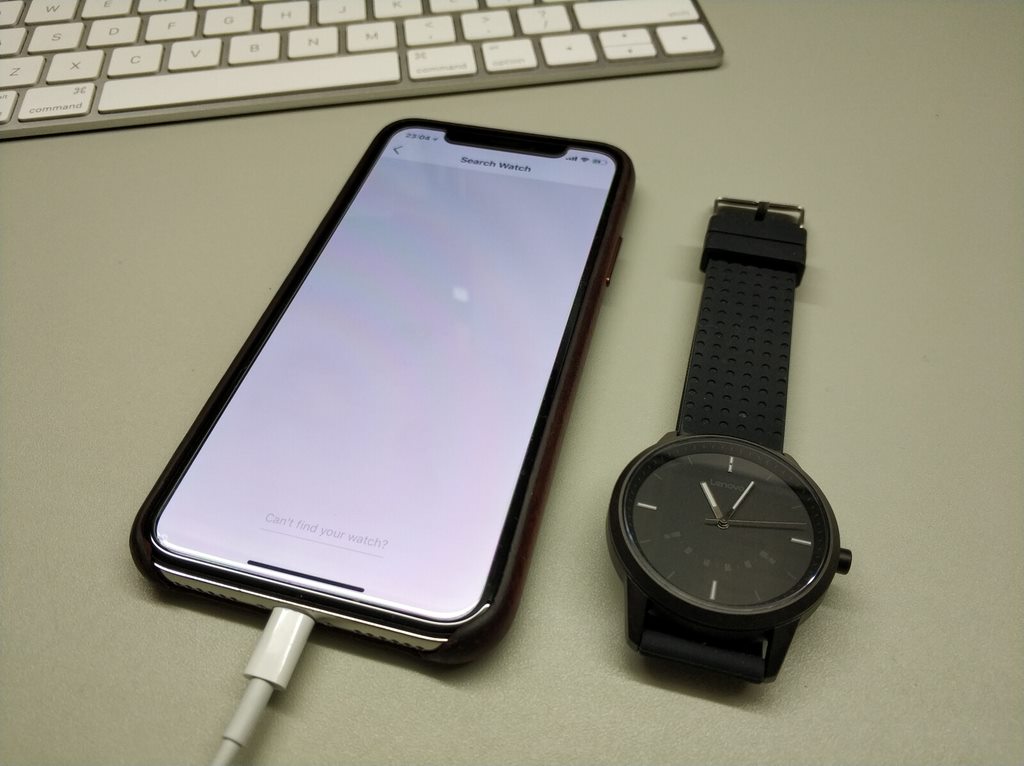
The Lenovo Watch 9 showed as paired with my iPhone X, but wouldn’t actually connect.

I tried deleting and reinstalling the Lenovo Watch app — same result.

I removed the pairing from iPhone settings and attempted to re-register — the watch didn’t even show up.

At this point, I was completely stuck.


To put it briefly, that’s the gist. Eventually it couldn’t even enter pairing mode, turning it into nothing more than a regular watch.


The Cause

Most likely, a firmware update on the Lenovo Watch 9 was to blame.

It had been running fine on version 2.4.3, but after auto-updating to 2.3.4 or 2.3.5, the issue started occurring.


The Fix

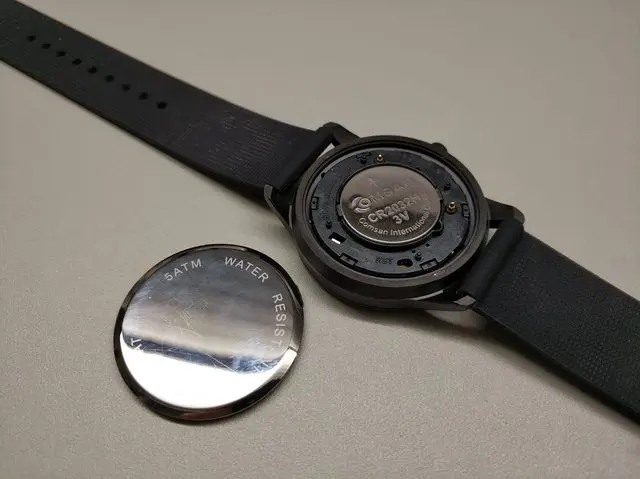
In my experience, the go-to fix for situations like this is to remove the battery and reset the device. So I decided to pop open the back cover and pull the battery.
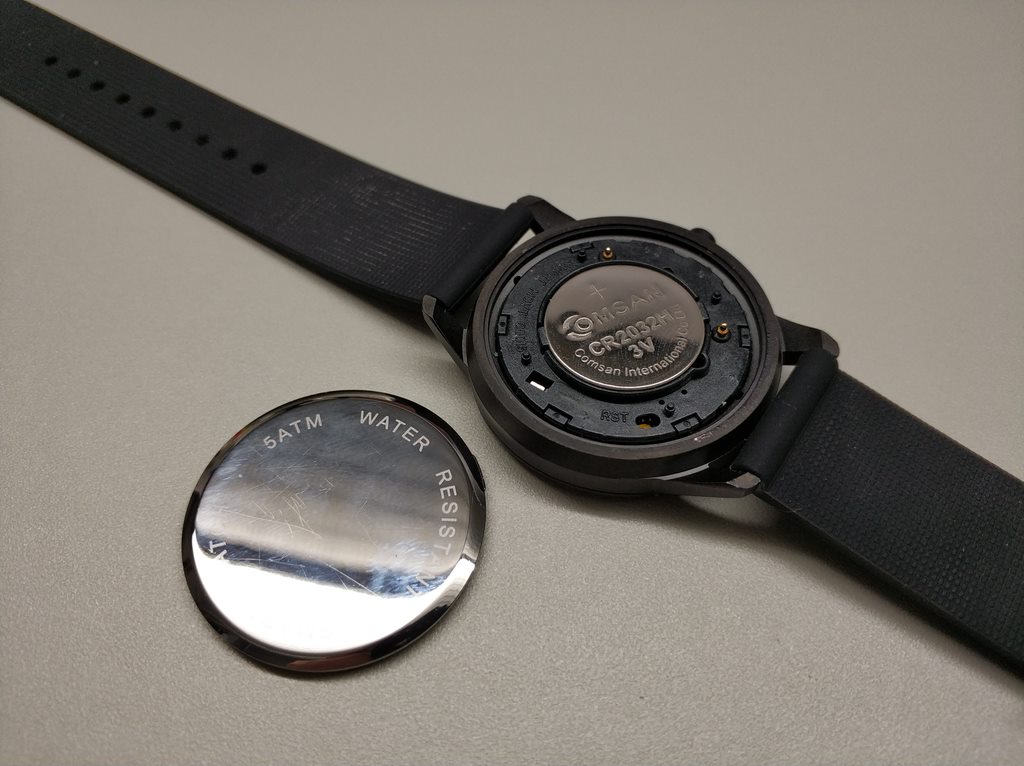
Once the cover is off, just remove the coin cell battery. Leave it out for about 5 seconds, then reinsert it.

When you put the coin cell back in, the Lenovo Watch 9 will vibrate.


Now, all that’s left is to put the back cover back on, but…

It simply would not snap back into place.


I wrestled with it by hand for about 15 minutes with zero success.


So I grabbed two pairs of pliers and a spare cloth. The strategy: wrap the Lenovo Watch 9 in the cloth for protection, then use the pliers to press the cover in.


Applying even pressure from both sides gradually did the trick — it snapped in cleanly. This step alone took another 15 minutes…


After a long press on the crown to enter pairing mode, it paired successfully…..

What an ordeal…..


Conclusion

What I learned from this experience is that replacing the battery on the Lenovo Watch 9 is a real pain…

While some regular watches also use this snap-fit back cover design, the Lenovo Watch 9 was by far the hardest to reassemble.

Then again, considering the price, it’s hard to complain too much.

Previous Article Lenovo Watch 9: Impressions After One Month of Use
Next Article Buying a Used Lenovo ThinkPad X240 — My Experience

Related Posts

No Credit Card Needed: My Experience with Docomo Bike Share

No Credit Card Needed: My Experience with Docomo Bike Share

Lenovo Watch 9: Impressions After One Month of Use

Lenovo Watch 9: Impressions After One Month of Use

How to Downgrade the au W03/W04 for Use with Rakuten Mobile

How to Downgrade the au W03/W04 for Use with Rakuten Mobile

RAVPower RP-PB060 6700mAh Quick Review

RAVPower RP-PB060 6700mAh Quick Review

Leave a Reply Cancel reply

Your email address will not be published. Required fields are marked *

Shichinomiya

Shichinomiya

A blogger who loves PC and gadgets. Sharing daily discoveries.

@shichinomiya_s

Popular Posts

  • Does the trending Claude Code skill “ADHD” actually make the agent smarter? A measured duel vs single-shot
  • Booth Netcafe & Capsule in Shinjuku: A Stylish Internet Cafe and Capsule Hotel Combo
  • Resolving “GLIBC_2.28 not found” Without Downgrading Node
  • RAVPower RP-PB060 6700mAh Quick Review
  • USB-C vs DisplayPort — Understanding Daisy Chaining for Multi-Monitor Setups

Categories

  • Announcements
  • Cars
  • Cycling
  • Gadgets
  • Generative AI
  • Home Appliances
  • Internet Service
  • Outings
  • Overseas Shopping
  • PC
  • Rental Servers & VPS
  • Travel
Miya-Gadget

A review blog about PC, gadgets, and DIY.
Sharing daily tech experiences.

Categories

  • PC (35)
  • Gadgets (25)
  • Generative AI (20)
  • Internet Service (7)
  • Travel (4)
  • Announcements (3)
  • Rental Servers & VPS (2)
  • Overseas Shopping (2)

Recent Posts

  • Dual Tesla V100 SXM2 on a Single PCIe Slot: 64GB VRAM & 300 GB/s NVLink Tested — Is This $700 Setup Worth It?
  • Modded RTX 4080 32GB Benchmarked: Qwen3.8-27B at 262K Context, 125B MoE, and MiniMax H3 Video — What 32GB Actually Delivers
  • Tesla V100 32GB Runs Qwen3.8-27B: 131k Context on a Single Card — Measured Benchmark
  • Tesla V100 32GB in 2026: Local LLM Benchmark with Qwen 3.6 — 98.8 tok/s on MoE 35B, 1.6x Faster Than M1 Max (Used, ≈$900)

© 2026 Miya-Gadget. All rights reserved.