In this article, I’ll cover how to use a Rakuten Mobile SIM in an au WiMAX W03 router to get free unlimited Wi-Fi.
Rakuten Mobile successfully launched on April 8, right when the state of emergency declaration took effect. On Rakuten’s own Band 3 network, data usage is completely unlimited.
Additionally, you can use up to 5GB on au’s roaming network (Band 18). For a plan that’s free for the first year, the value is incredible.
Instead of putting the Rakuten Mobile SIM into a smartphone, if you pop it into a mobile router, you essentially get unlimited Wi-Fi. So I decided to try this using an au mobile router — and here’s how it went.
This is a hands-on walkthrough of the setup process.
Let’s get into it.
1. Why Use an au Mobile Router?
To put it bluntly: because they’re cheap. The W03 and later models support Band 3 and Band 18.
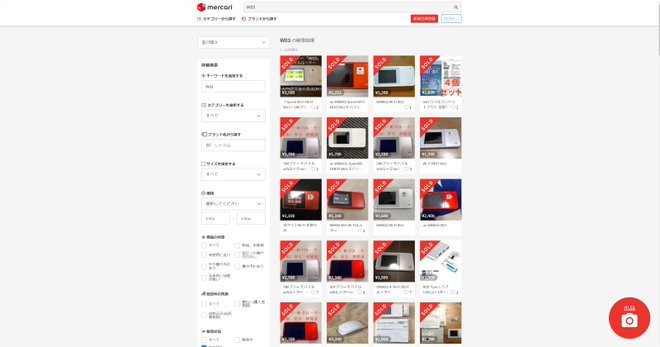
Looking at prices on Yahoo Auctions and Mercari, you can pick one up for just 1,000 to 2,000 yen.
And since these routers are not SIM-locked, they’re easy to set up and use. (Band restrictions via firmware are discussed below.)
2. It’s Cheap, but a Firmware Downgrade Is Required
Since the W03 was originally sold by au and UQ (an au subsidiary), it’s designed to use Bands 1, 11, 18, 26, 28, 41, and 42.
Now let’s look at the W03’s supported bands: Band 1, 3, 18, 26, and 41. (The W04 and later add Band 42 support.)
Comparing these with au’s band lineup, you’ll notice that Band 3 isn’t needed for au’s network.
au decided that “this band is unnecessary” and pushed a firmware update that disabled Band 3. So you need to downgrade the firmware to a version from before Band 3 was blocked.
If the last 3 digits of the firmware version are “824,” you can use it as-is. If it’s a higher version, you’ll need to downgrade using a cradle.
*Personal opinion below*
I personally think that blocking Band 3 — which the hardware fully supports — is a pretty underhanded move.
If they had blocked it from the start via firmware before selling the device, that would be understandable. But selling it without a SIM lock and then retroactively disabling bands is going too far — it goes against the grain of the industry.
Since they’ve already done it, au probably has no intention of reversing it, but I think filing a complaint would be justified.
3. How to Downgrade
We’ll use a method posted by a contributor on 5ch (a Japanese forum) to perform the downgrade.
https://egg.5ch.net/test/read.cgi/android/1543287511/108
The basic steps are explained in the Readme included with the files, but I’ve also written a detailed guide in a separate article for reference.
How to Downgrade the au W03 for Use with Rakuten Mobile
4. APN Configuration
Insert the Rakuten Mobile SIM into the W03 and power it on.
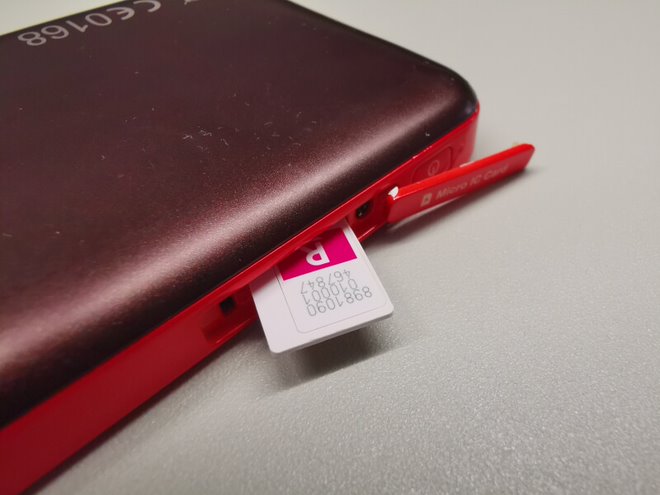
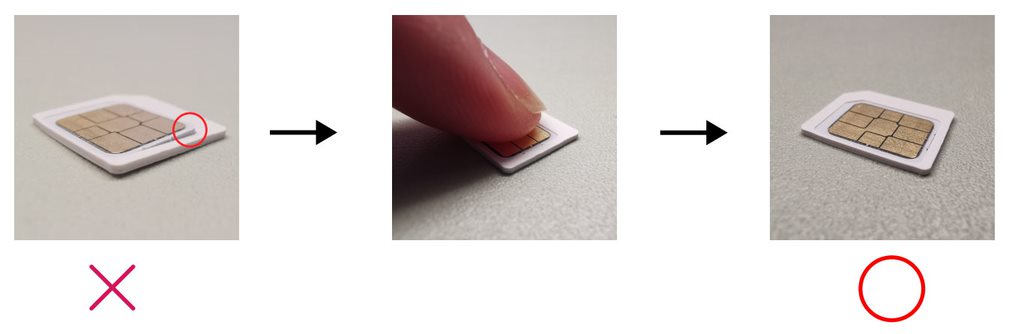
The W03 uses a Micro SIM, so use the adapter frame that came with your Rakuten SIM to convert from nano to micro size before inserting.
*Place the SIM on a flat surface and press it into the micro-sized frame, making sure there’s no gap between the SIM and the frame. If there’s a step, you may not be able to remove it later. (I actually got a SIM stuck back in middle school.)
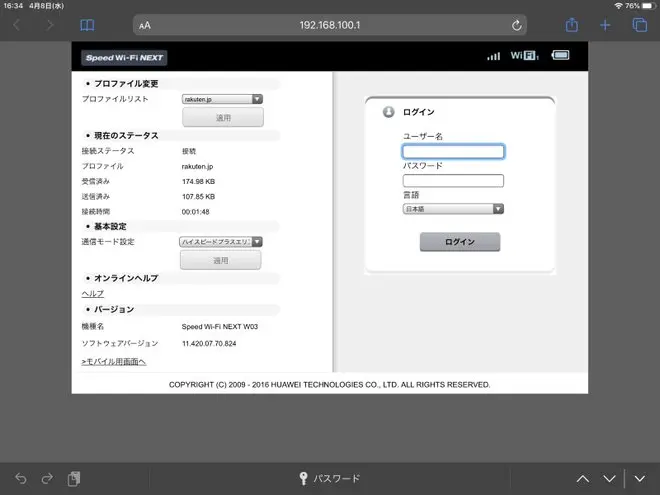
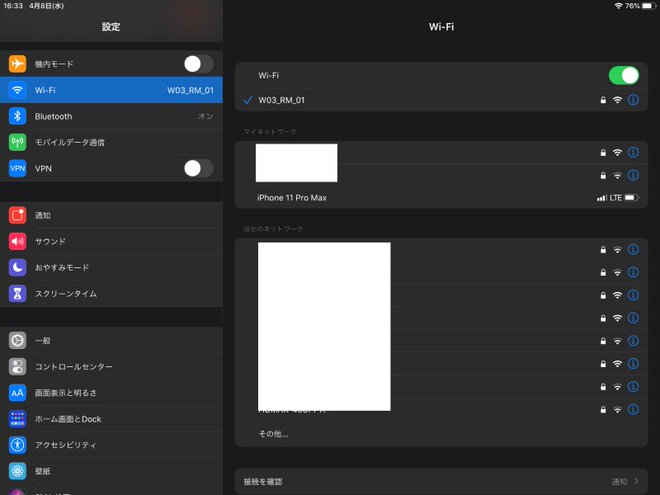
Once the SIM is inserted, connect to the W03 via Wi-Fi. Then open a browser and navigate to “192.168.100.1”.
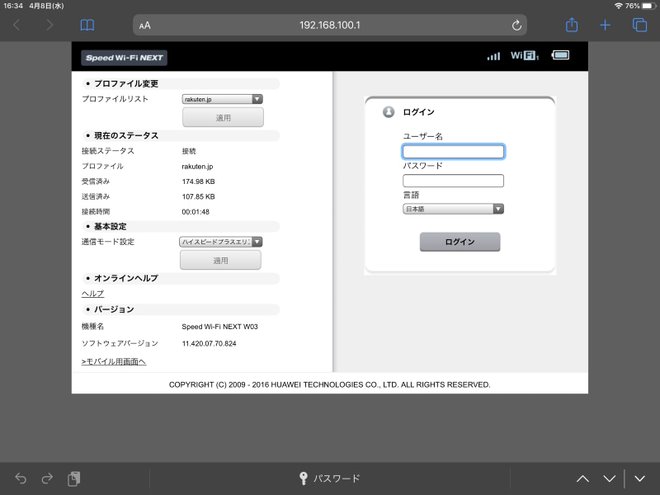
You’ll see a login screen for the settings page. Enter “admin” as the username and the last 5 digits of the IMEI printed on the device as the password.
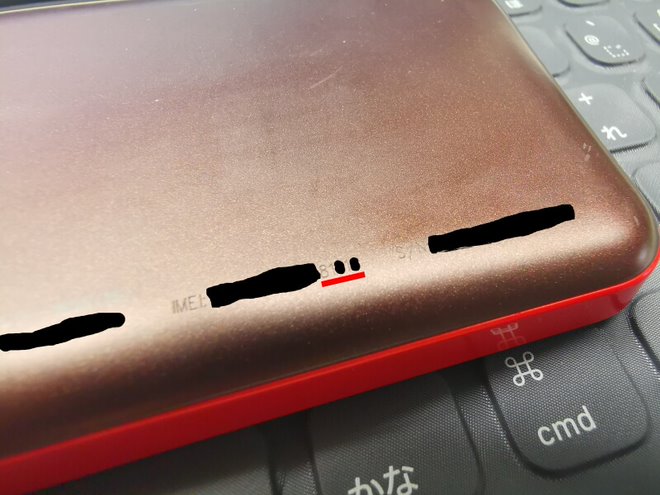
The IMEI is printed in tiny text on the back of the device. Good luck if you need reading glasses.
After logging in, go to “Settings” then “Profile Settings.” You’ll see a list of APNs — click “New.”
On the APN input screen, enter “rakuten” as the profile name and “rakuten.jp” as the APN, then save.
That’s it — setup is complete. Wait a moment and the W03 will show signal bars, indicating a successful connection.
Great job!
5. Conclusion
The firmware downgrade and having to configure APN settings through a browser are a bit tedious, but the router itself can be picked up cheaply, and Rakuten Mobile is free for the first year — so it’s definitely worth trying.
This setup is especially recommended for those who mainly stay in urban areas. Why not give unlimited Wi-Fi a shot using a Rakuten MNO connection paired with a mobile router?
Recommended Items
SIM-Free Mobile Router
SIM-free mobile router compatible with Rakuten Mobile.


Leave a Reply